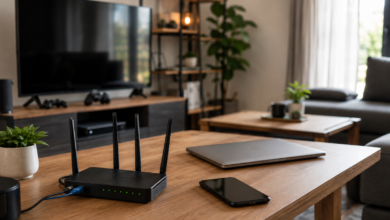
You upgraded your internet, but one bedroom still buffers. Video calls freeze in the kitchen. The back patio barely has a signal. And somehow everyone in the house knows there’s one weird spot where the Wi-Fi suddenly starts working again.
Sound familiar?
Most people blame their internet provider or assume they need a faster plan. Others start shopping for a new router or Wi-Fi extender.
But before you spend a dime, take a look at where your router is sitting. That little blinking box sitting on your shelf, in your cabinet, or behind the TV can have a bigger impact on your Wi-Fi than many people realize.
In this guide, we’ll explain why — and show you how a few simple changes could improve coverage throughout your home.
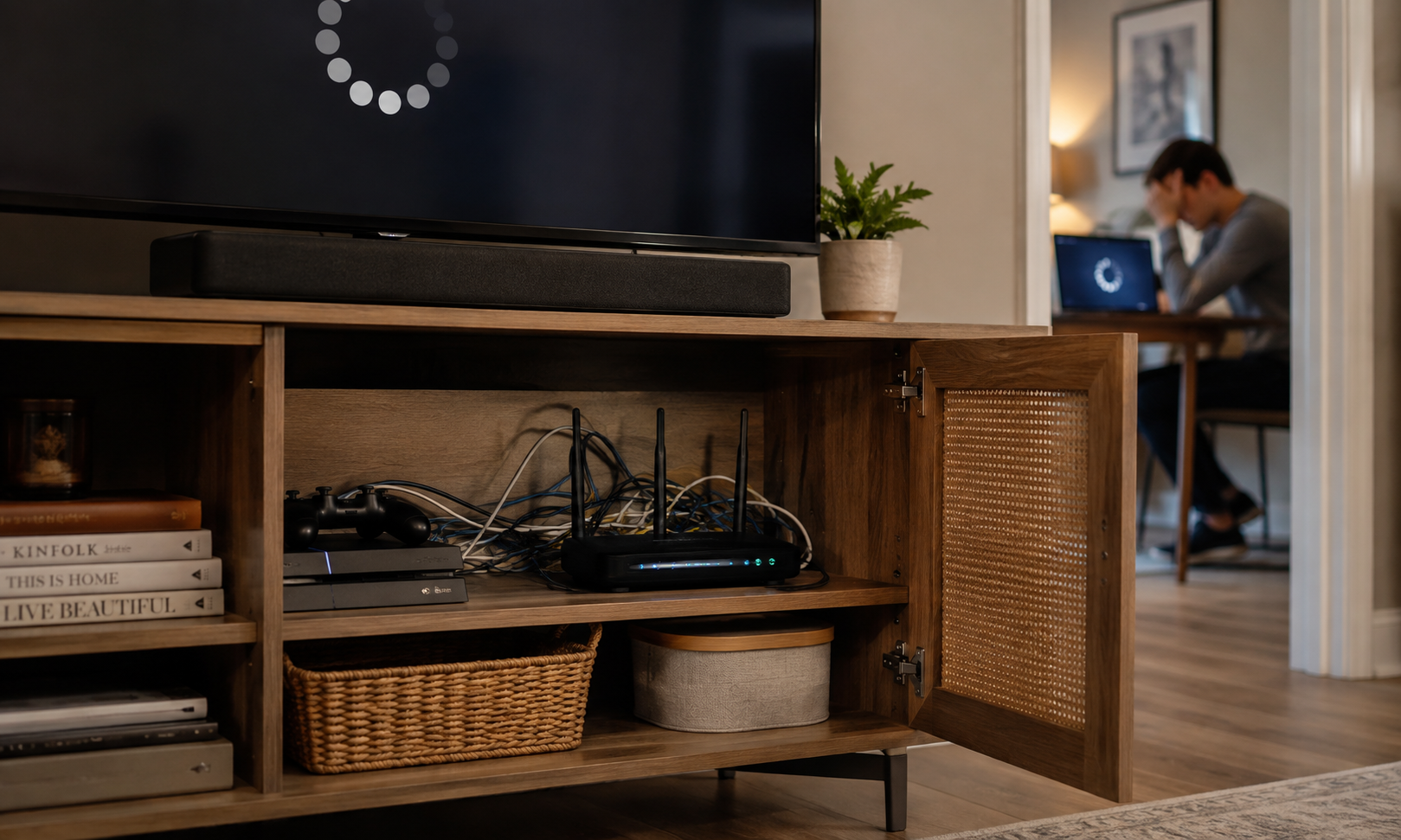
The Biggest Wi-Fi Myth: Faster Internet Doesn’t Fix Bad Wi-Fi
When your Wi-Fi starts acting up, it’s easy to assume the answer is more internet speed.
After all, internet providers advertise bigger numbers all the time—300 Mbps, 500 Mbps, even gigabit plans. It sounds logical that upgrading to a faster package should solve buffering, dead zones, and sluggish downloads.
Sometimes it does, but not if the problem isn’t your internet connection in the first place.
One of the biggest misconceptions about home networking is that internet service and Wi-Fi are the same thing. They’re closely related, but they play very different roles.
Here’s what actually happens:
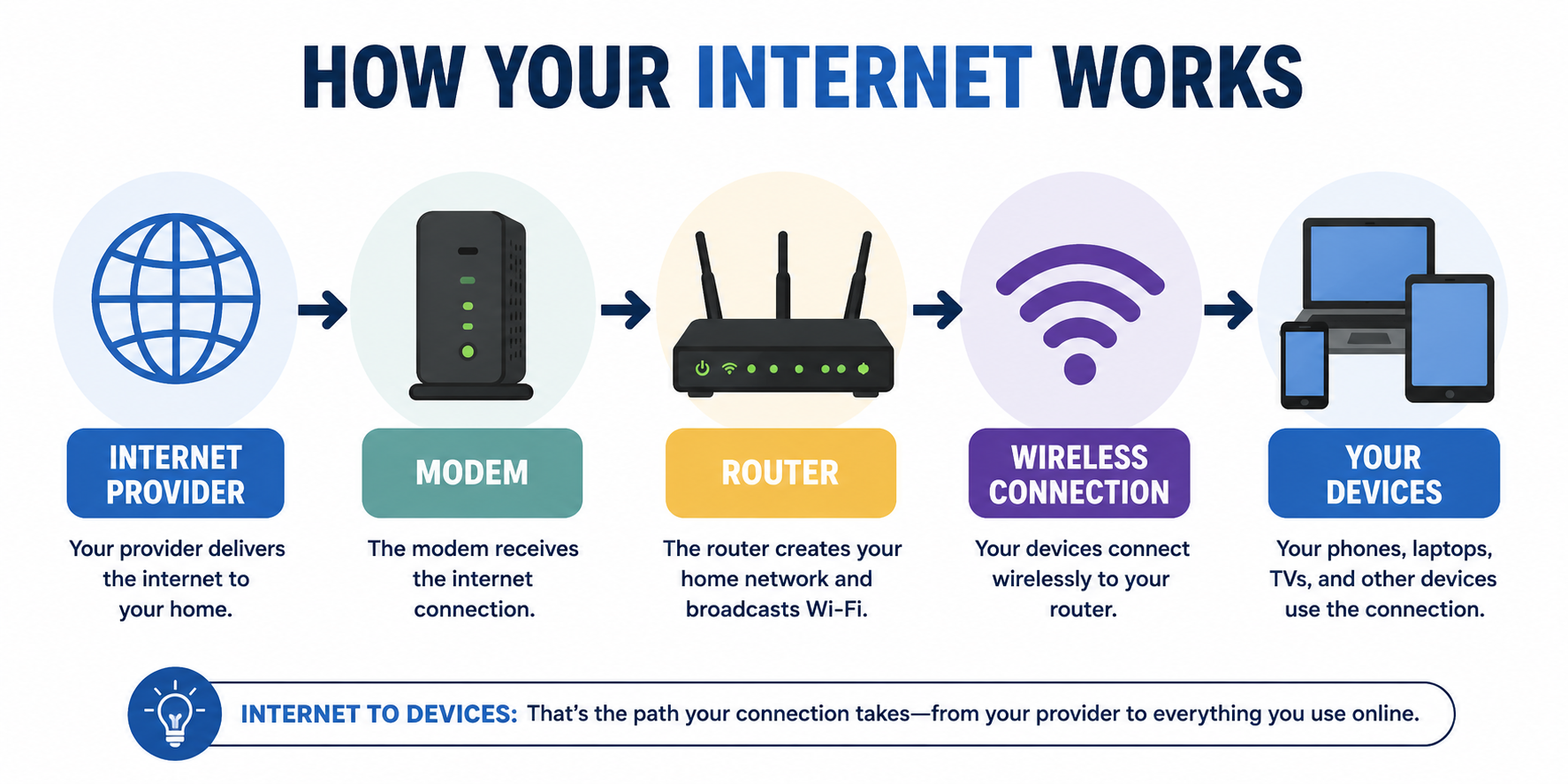
Your internet provider delivers internet to your home. Your modem receives that connection, and your router takes over, creating the wireless network your phones, laptops, TVs, and other devices use every day.
That means you can have an incredibly fast internet plan and still experience frustrating Wi-Fi problems around your house.
Once the internet reaches your router, an entirely different challenge begins.
Thinking About Paying For Faster Internet?
If your Wi-Fi signal can’t reliably reach your bedroom, office, or patio, paying for more bandwidth usually won’t solve the problem.
Before upgrading your monthly internet plan, spend a few minutes experimenting with your router’s location. It’s one of the few home networking improvements that can noticeably improve Wi-Fi without costing anything.
How Wi-Fi Actually Travels Through Your Home
If your internet is reaching the router just fine, why does the living room stream movies flawlessly while the guest bedroom can barely load a webpage?
It comes down to how Wi-Fi moves through your home.
If Wi-Fi traveled in perfect circles, every room the same distance from your router would perform almost identically. Of course, that’s not how real houses work.
Unlike a wired connection, Wi-Fi doesn’t travel along a fixed path. Your router broadcasts a wireless signal in every direction, filling your home with coverage rather than sending it to one specific device.
Think of it like a flashlight. The light is brightest closest to the source, then gradually fades as it spreads farther away. Wi-Fi behaves much the same way.
That doesn’t mean every room the same distance from your router will have the same connection.
You may have one bedroom that’s perfect for Zoom calls while another, just across the hall, constantly buffers. Or maybe the couch is great for streaming, but the patio feels like it’s in another zip code.
Distance is only part of the equation. The route the signal takes matters just as much.
As Wi-Fi travels, it spreads, reflects, bends, and changes direction before finally reaching your phone, laptop, or smart TV. The result isn’t a perfect circle of coverage around your router. Instead, it’s an uneven map of stronger and weaker signals throughout your home.
So what causes those weak spots? The answer is probably already sitting between your router and your devices.
The Everyday Objects That Weaken Wi-Fi
By now, you know that Wi-Fi spreads throughout your home instead of traveling along a single path.
The next question is: what happens to that signal before it reaches your devices?
The answer is… more than you’d expect.
1. Walls Aren’t Created Equal
Not every wall affects Wi-Fi the same way.
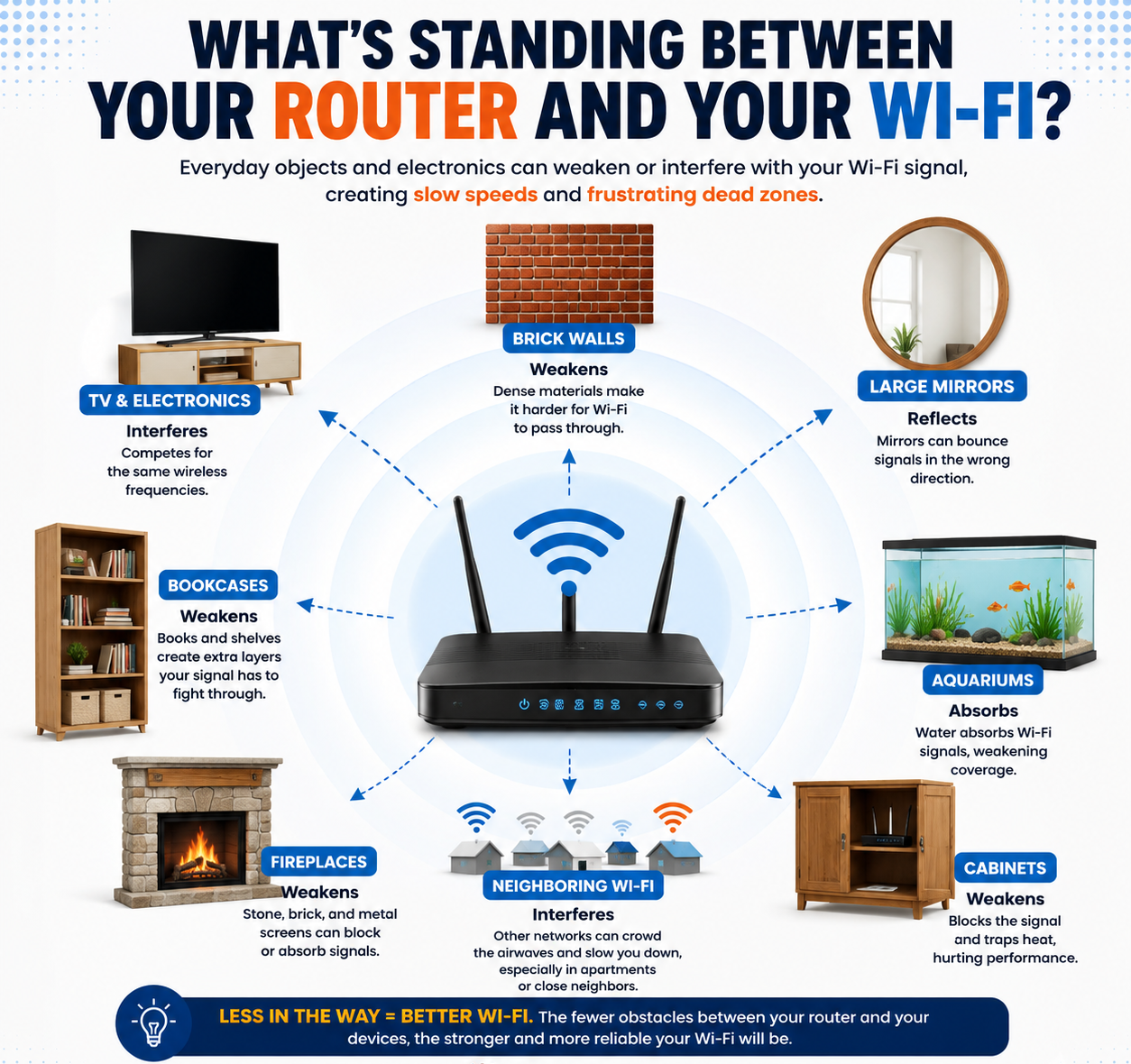
Drywall usually allows wireless signals to pass through with relatively little trouble. That’s why most modern homes don’t lose all their Wi-Fi after one interior wall.
Brick, stone, and concrete are a different story. These dense materials absorb and weaken wireless signals much more aggressively, which is one reason basements, additions, and older homes often develop frustrating dead zones.
2. Some Everyday Objects Are Surprisingly Good At Blocking Wi-Fi
Walls aren’t the only obstacles.
Many common household items sit directly between your router and your devices without you giving them a second thought.
For example:
- Large mirrors often have a thin layer of metal behind the glass that can reflect wireless signals.
- Metal shelving, filing cabinets, and large appliances can weaken or redirect the signal instead of letting it pass through.
- Large entertainment centers and bookcases create another layer of obstacles, especially when they’re packed with electronics, books, or decorative items.
Then there’s one obstacle that surprises almost everyone.
3. Water Is A Bigger Problem Than Most People Realize
Water absorbs radio signals remarkably well.
That doesn’t mean a glass of water on the coffee table will ruin your Wi-Fi, but large amounts of water can make a difference. A large aquarium sitting between your router and the living room, for example, can weaken the signal more than many people expect.
It’s one of those problems that’s easy to overlook because nothing about a fish tank looks like it should affect your internet connection.
Electronics That Interfere With Wi-Fi
Ever notice your smart speaker suddenly ignores you while someone is heating lunch? That’s interference in action.
Walls and furniture weaken Wi-Fi by getting in the signal’s way. Electronics create a different kind of problem. Instead of blocking the signal, some devices can interfere with it by competing for similar radio frequencies.
Some of the most common offenders include:
- Microwave ovens
- Bluetooth devices
- Older cordless phones
- Baby monitors
- Nearby Wi-Fi networks
That doesn’t mean every microwave will knock your internet offline every time you heat up leftovers. But if you’ve ever noticed your connection briefly stutter while someone else is making popcorn, you’re not imagining it.
How much interference you experience also depends on which Wi-Fi band your router is using.
2.4 GHz
- Longest range
- Best at reaching farther rooms
- Most crowded
Because so many household devices use the 2.4 GHz band, it’s often the busiest part of the wireless spectrum.
5 GHz
- Faster speeds
- Less interference
- Shorter range
Many newer devices automatically switch between 2.4 GHz and 5 GHz depending on which offers the better connection.
6 GHz
- Fastest performance
- Least congestion
- Shortest range
The 6 GHz band is available on Wi-Fi 6E and Wi-Fi 7 equipment, but both your router and your device must support it.
The Worst Places To Put Your Router
Now that you know what Wi-Fi has to travel through, some router locations start making a lot less sense.
Unfortunately, many of the most common places people keep their router also happen to be among the worst for wireless coverage.
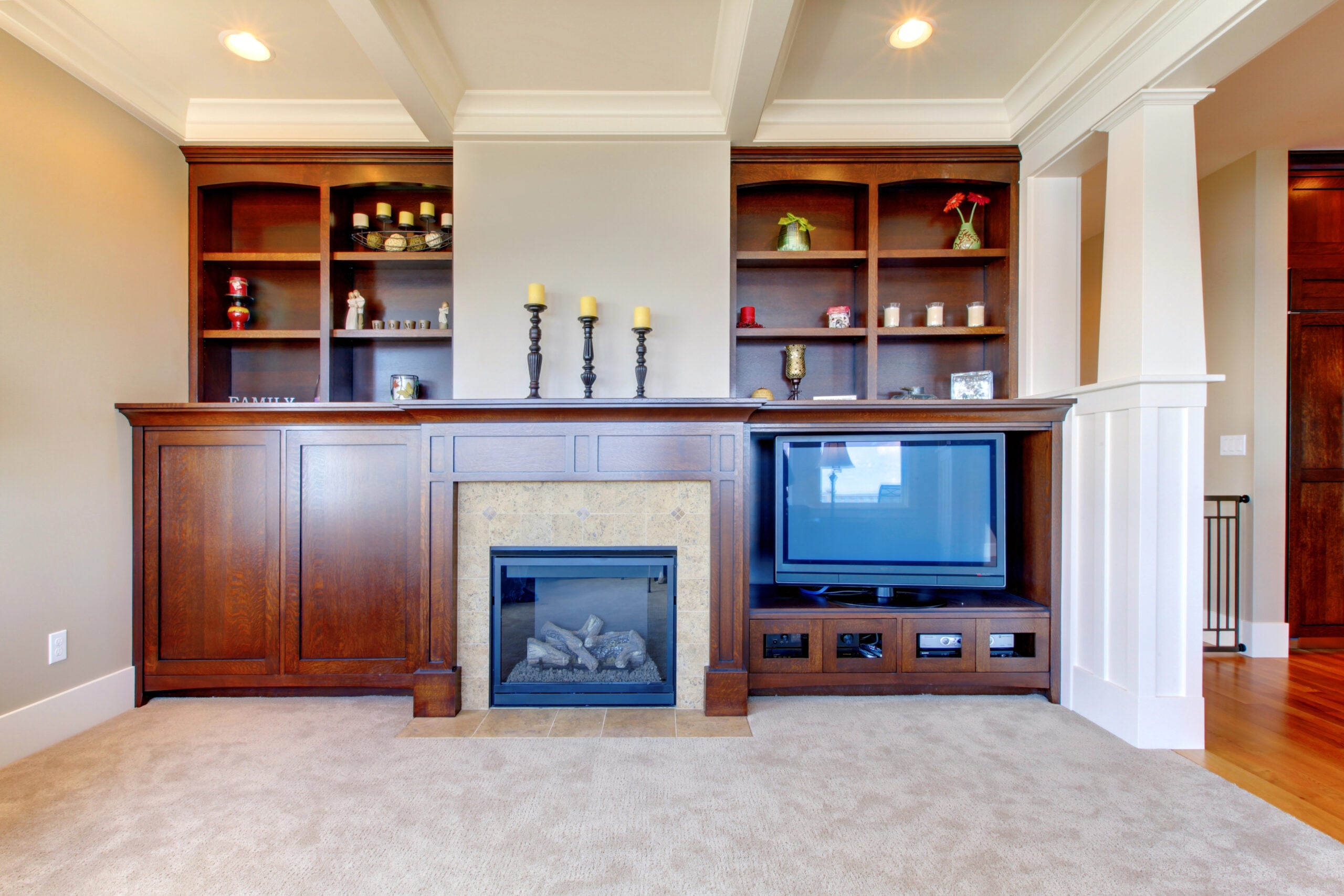
1. Inside A Cabinet
Hiding your router inside a cabinet may make your living room look cleaner, but it also gives your Wi-Fi signal another obstacle to overcome before it even leaves the starting line.
Cabinets can also trap heat, reducing airflow around the router. Modern routers are designed to get warm, but they perform best when they have room to ventilate.
2. Behind The TV
Entertainment centers often become a perfect storm for weak Wi-Fi.
A router tucked behind a television may be surrounded by:
- The TV itself
- Game consoles
- Streaming devices
- Soundbars
- Metal components
- A tangled maze of cables
Individually, these aren’t guaranteed to ruin your signal. Together, they create one of the busiest places in your home for a wireless device.
3. On The Floor
Wi-Fi spreads outward in every direction.
Placing your router directly on the floor means furniture, cabinets, and other large objects immediately surround part of that signal. Raising it onto a shelf or table often gives the signal a clearer path through the room.
4. In The Basement
Many internet lines enter the home through a basement, utility room, or garage.
That’s convenient for installation, but it’s rarely the best location for a device that’s supposed to serve your entire house.
If most of your family spends time upstairs, your Wi-Fi has to travel through an entire floor before it even reaches the rooms where it’s needed most.
5. Inside A Closet
Closets create many of the same problems as cabinets, only bigger.
They’re enclosed, often packed with clothing or storage boxes, and typically have very little airflow. None of those conditions help a router perform at its best.
6. In A Corner Of The House
One of the biggest router placement mistakes often isn’t your fault.
Internet installers usually place the router where it’s quickest and easiest to connect the service. That often means wherever the internet line enters your home—not where Wi-Fi coverage will be strongest.
Installers are optimizing for things like:
- Where the service enters the house
- Existing wiring
- Installation time
They’re not designing the ideal wireless layout for every room in your home.
If your router has been sitting in the same corner since installation day, it may simply be following the cable—not the Wi-Fi.
Have You Found Your House’s “Wi-Fi Spot”?
Almost every home seems to have one. Maybe it’s the hallway where video calls suddenly stop freezing. The top step of the staircase. One corner of the kitchen. Or that oddly specific spot on the patio where your phone finally reconnects.
If your family has unconsciously learned where to stand for better Wi-Fi, that’s a pretty good sign your router’s location could use another look.
Some Homes Are Simply Harder For Wi-Fi
If you’ve been thinking, “None of this sounds like my house,” you may be right. Some homes simply ask more of a single router than others.
A compact apartment with an open floor plan is often much easier to cover than a sprawling ranch home, even if the apartment has slower internet service. Likewise, a small brick home can present more Wi-Fi challenges than a larger house with mostly drywall.
Here are a few layouts that commonly create weak spots:
- Multi-story homes: Every floor adds another obstacle between your router and the devices using it.
- Split-level homes: Signals often have to travel through multiple walls and floors to reach different sections of the house.
- Long ranch homes: A router placed near one end may struggle to reach rooms at the opposite end.
- Older masonry homes: Brick, stone, plaster, and concrete can weaken Wi-Fi much more than modern drywall.
- Detached garages, workshops, and backyard offices: Distance alone can make these areas difficult for a single router to reach.
Even the shape of your home matters. An open floor plan generally gives Wi-Fi a much easier path than a home divided into many small rooms and hallways.
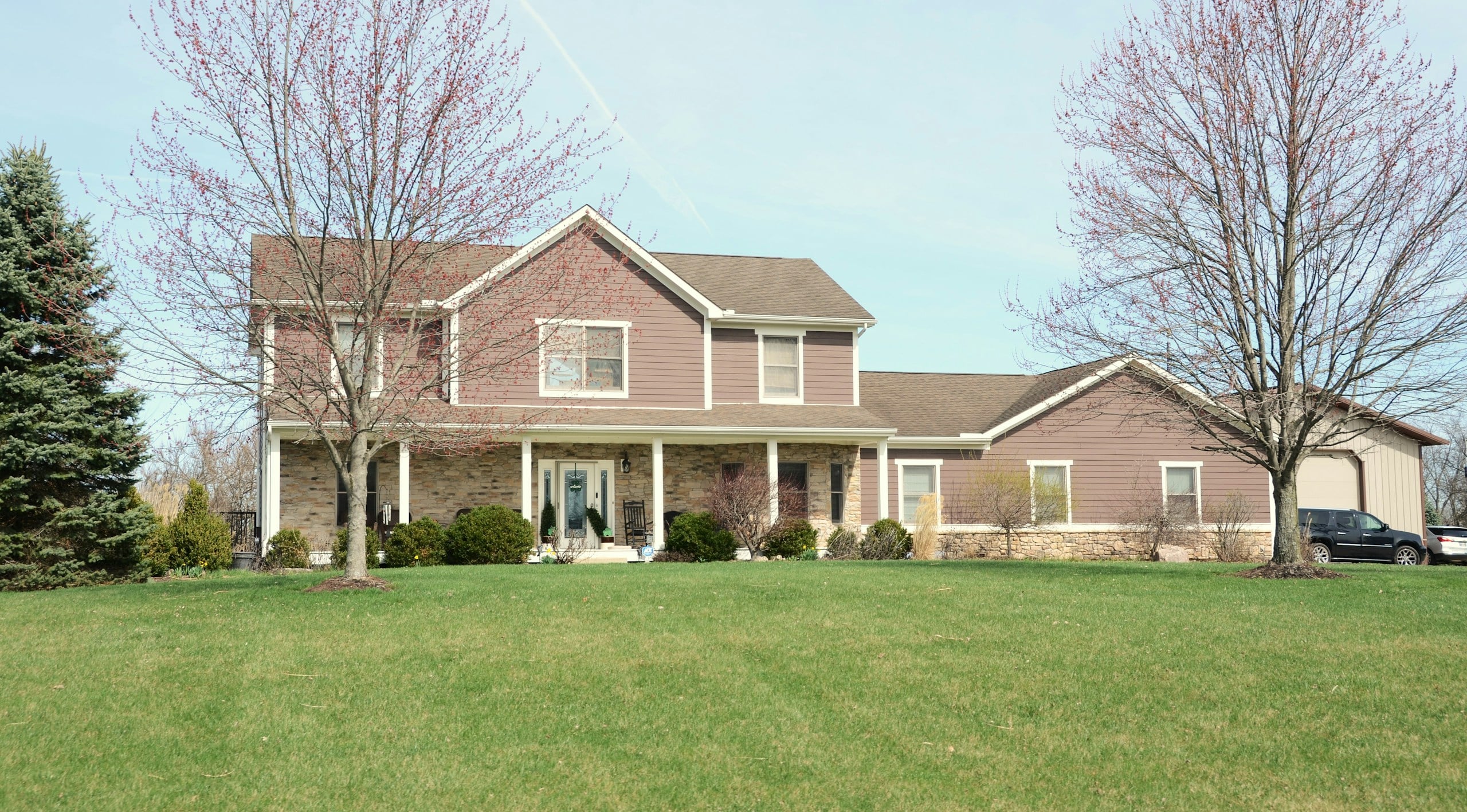
The important takeaway is that weak Wi-Fi doesn’t automatically mean you bought the wrong router. Sometimes the layout of your home simply makes it more difficult for one wireless signal to reach everywhere you need it.
That’s why the best router location isn’t the same for every house.
Apartments Have Their Own Challenges
Apartments are often smaller than houses, which might sound like good news for Wi-Fi. In many cases, it is.
The challenge is that you’re surrounded by other wireless networks. Every neighboring apartment may have its own router, all competing for space on the same wireless frequencies.
That doesn’t mean apartment Wi-Fi is doomed to be slow. A centrally located router and a less crowded Wi-Fi band can still make a noticeable difference. But in busy apartment buildings, interference from nearby networks sometimes becomes part of the equation.
How To Find The Best Spot For Your Router
By now, you’ve seen what weakens Wi-Fi and which locations tend to cause problems. Instead of asking, “Where should I put my router?” try asking a different question:
“If your router could pick the best seat in the house, where would it sit?”
That shift in thinking usually leads you to a much better location.
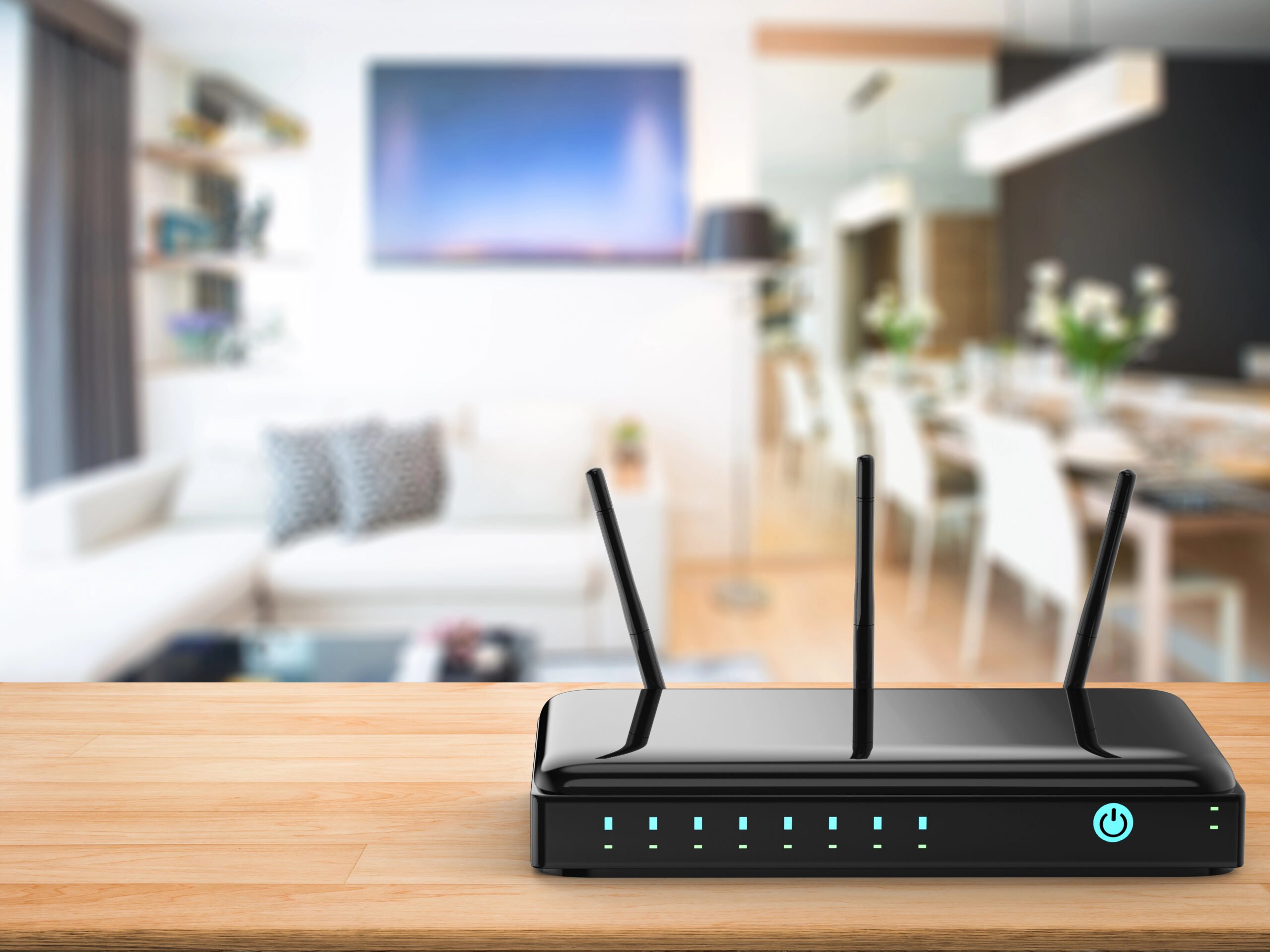
As a general rule, the best spot is:
- Near the center of your home rather than against an outside wall.
- Elevated on a shelf or table instead of sitting on the floor.
- Out in the open instead of inside a cabinet, closet, or entertainment center.
- Away from large electronics like TVs and microwaves whenever possible.
- A few feet away from thick brick, concrete, or stone walls if you have a choice.
- Close to where you actually use Wi-Fi the most, whether that’s your home office, family room, or living area.
You don’t have to find the perfect location on the first try.
One of the easiest ways to improve your Wi-Fi is to experiment.
Move the router a few feet, then walk through your home and check how the connection feels in the places that matter most. Run a speed test in the living room, bedroom, home office, and patio. Compare the results before moving it again.
Sometimes the best location isn’t the one you expected.
A router that performs poorly in one corner of the room may work dramatically better just a few feet away on an open bookshelf or a higher table. Small changes can create a clearer path for the signal without changing anything else about your internet service.
Before spending money on a faster internet plan, a new router, or a mesh system, spend fifteen minutes experimenting with placement first.
You may be surprised how much better your existing equipment performs when it’s finally in the right spot.
Can I Put My Router Next To My Modem?
Yes — in fact, that’s how many home networks are set up.
Your router typically needs to connect directly to your modem, so keeping them together is perfectly normal. The bigger question isn’t whether they’re next to each other — it’s where the modem is located.
Many internet providers install modems wherever the service line enters the house, such as a basement, utility room, garage, or far corner of the home. If your router stays there too, your Wi-Fi may have a harder time reaching the rooms where you actually use it.
If possible, consider moving both the modem and router to a more central location. Or you may be able to relocate just the router with a longer Ethernet cable, giving you better Wi-Fi coverage without changing your internet service.
When A Mesh Wi-Fi System Actually Makes Sense
Sometimes moving your router isn’t enough. If your home is especially large or has a challenging layout, the signal may simply have too much ground to cover.
A mesh Wi-Fi system is often a good investment if you have:
- A large home
- Three or more stories
- Thick brick or concrete walls
- A long ranch-style layout
- A detached garage, workshop, or backyard office
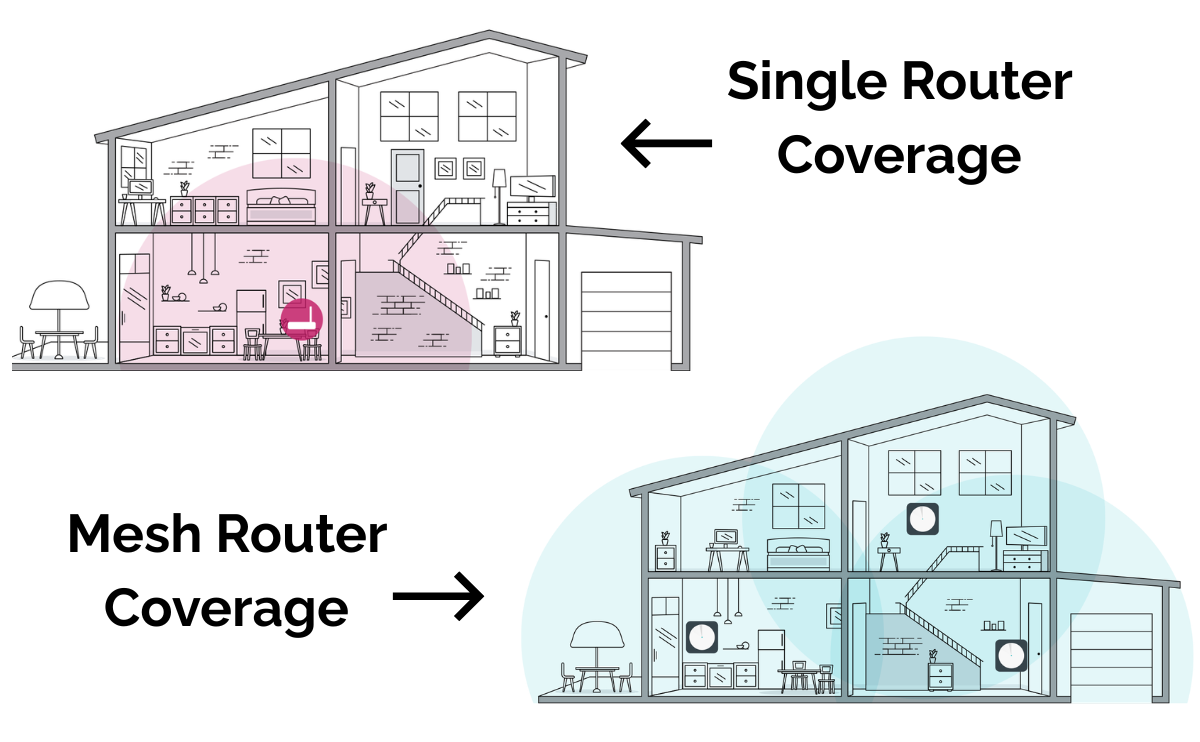
Mesh systems work by placing additional access points throughout your home, giving your devices a stronger signal without relying on one router to reach every corner.
That said, mesh isn’t a cure-all.
If your equipment is still sitting inside a cabinet or tucked behind the TV, adding more hardware may simply spread the same avoidable problem across multiple devices.
Five-Minute Router Check
Before buying a new router or calling your internet provider, take five minutes to answer these questions.
- Is your router close to the center of your home?
- Is it sitting on a shelf instead of the floor?
- Does it have open space around it?
- Is it away from the TV and other large electronics?
- Is it separated from microwaves and other potential sources of interference?
- Is it away from thick brick, concrete, or stone walls whenever possible?
- Is it sitting out in the open instead of inside a cabinet or closet?
- Is it still in the exact spot where the installer placed it?
If you answered “no” to several of these questions, you’ve probably found your next home improvement project — and it won’t require a toolbox.
Frequently Asked Questions
Still have questions about router placement? Here are answers to a few common ones we haven’t covered yet. If you don’t see yours here, feel free to ask us in the comments!
Can A Router Really Be In The Wrong Room?
Absolutely. If your router is tucked into a basement utility room, garage, or a far corner of the house, it may struggle to provide consistent coverage where you actually use Wi-Fi. A more central location usually allows the signal to reach more rooms with fewer obstacles in the way.
How High Should A Router Be?
There’s no magic number, but waist to head height is generally a good target. Placing a router on a shelf, desk, or media console usually provides better coverage than leaving it on the floor, where furniture and other objects can block part of the signal.
Should Router Antennas Point Straight Up?
If your router has external antennas, pointing at least one vertically is a good starting point because many routers are designed with that orientation in mind.
Some manufacturers recommend angling multiple antennas in different directions to improve coverage on different floors, so it’s worth checking your router’s manual for model-specific guidance.
Can My Neighbors’ Wi-Fi Affect Mine?
Yes. In apartments, condos, and densely populated neighborhoods, dozens of nearby Wi-Fi networks may be competing for the same wireless channels.
Modern routers do a much better job of managing this than older models, but congestion can still reduce performance, especially on the crowded 2.4 GHz band.
Does Putting A Router Near A Window Help?
Usually not. A window won’t improve Wi-Fi coverage inside your home, and placing the router near an exterior wall often means you’re sending part of your signal into the yard instead of the rooms where you need it most.
Why Does My Phone Show Full Wi-Fi Bars If Everything Is Still Slow?
Wi-Fi bars only indicate how strongly your device is connected to your router. They don’t measure how fast your internet connection is or how busy your Wi-Fi network may be.
For example, you might have a strong signal but still experience slow speeds because your network is congested, several devices are using bandwidth at the same time, your internet provider is having issues, or your router is struggling with interference. In other words, strong Wi-Fi and fast Wi-Fi aren’t always the same thing.
One Small Move Could Make A Big Difference
Before replacing your router or paying for a faster internet plan, take another look at where your router is sitting. Moving it to a better location may be one of the easiest — and least expensive — ways to improve your Wi-Fi.
Still troubleshooting? You may also find these guides helpful:
Which room in your house has the worst Wi-Fi? Is it the bedroom, basement, home office, or somewhere else? Tell us in the comments—and if you’ve found a trick that improved your signal, share it with other readers!