You pay for fast internet, your router is working, and your Wi-Fi is great in the living room.
Then you walk 20 feet toward the bedroom and apparently cross into another dimension where webpages load one image at a time.
Maybe there’s one chair where your phone always struggles. An upstairs bedroom where streaming turns into buffering. Or Wi-Fi that works beautifully all afternoon, then develops a personality problem every evening.
The obvious suspects are your internet provider, your router, or whatever device you’re threatening to throw across the room.
But sometimes, nothing is actually wrong with any of them. The more interesting question is what happens to your Wi-Fi signal on its way from the router to you and what gets in its way.
Want our human-written content to rank above AI-generated garbage? Help us out by clicking this button!
What Happens After Wi-Fi Leaves Your Router?
Wi-Fi can feel a little like internet floating invisibly through your house, but there’s something much more physical going on.
Your router communicates with your phone, laptop, TV, and other devices using radio-frequency signals. Those signals have to travel from Point A to Point B, and your house is very much standing in the middle.
Along the way, Wi-Fi signals can be absorbed by certain materials, reflected in another direction, weakened by obstacles, or forced to compete with other wireless signals using the same airwaves. In other words, the trip from your router to your couch isn’t always an easy commute.
The Wi-Fi band you’re using matters, too:
- 2.4 GHz travels farther and generally handles obstacles better, but it’s also a crowded band.
- 5 GHz can deliver faster performance and more capacity, but it loses strength more readily through distance and obstacles.
- 6 GHz, available on newer Wi-Fi equipment, offers lots of additional spectrum but has an even tougher time traveling long distances and through substantial barriers.
One distinction will matter as we start looking around your house: not everything that messes with Wi-Fi is technically causing interference. Some devices really do compete with Wi-Fi for radio spectrum. Other objects are simply making an already difficult trip even harder.
10 Things In Your Home That Can Mess With Your Wi-Fi
Once you start thinking about Wi-Fi as a signal that has to make its way through an actual house, some of those mysterious slow spots start making a lot more sense.
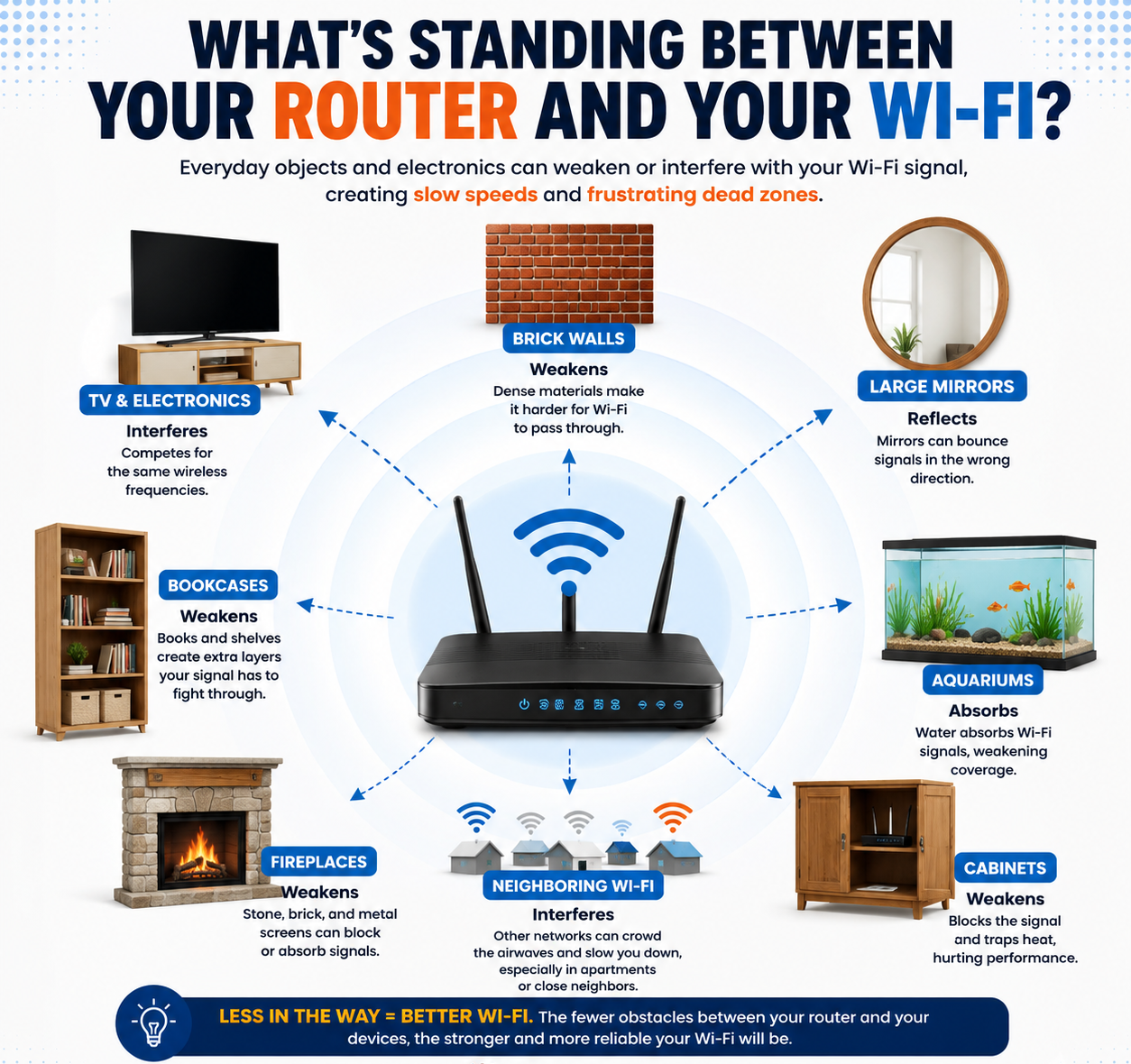
1. Your Microwave Is Competing For More Than Counter Space
If your Wi-Fi seems to fall apart whenever someone reheats last night’s dinner, you’re not imagining things.
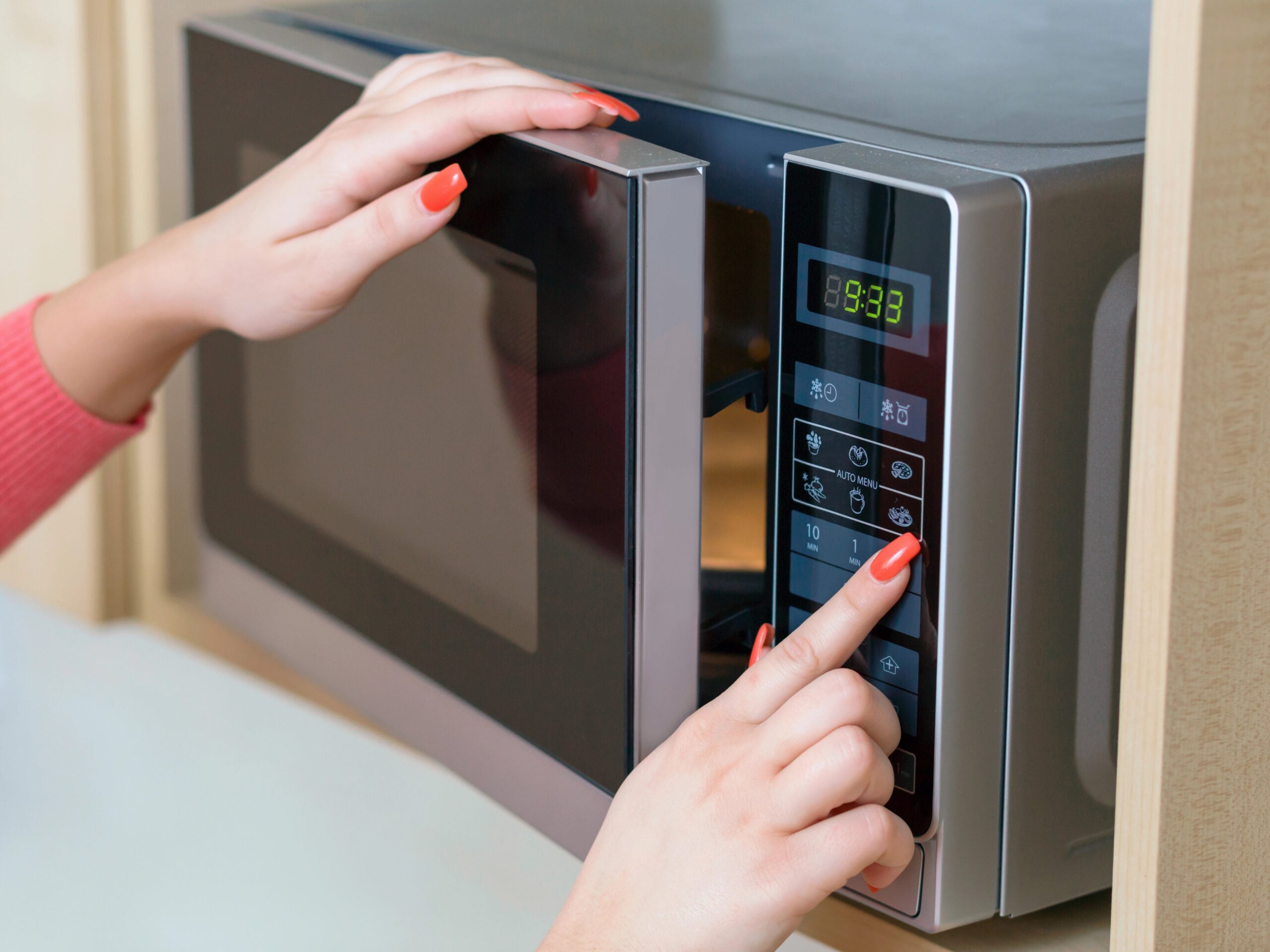
Microwave ovens operate at around 2.45 GHz, which overlaps with the 2.4 GHz frequency band used by Wi-Fi. A properly functioning microwave is designed to keep almost all that energy contained, but some radio-frequency noise can escape.
When it does, nearby devices using 2.4 GHz Wi-Fi may have a harder time getting a clean signal.
The result can be oddly specific. Everything works fine until the microwave turns on, then a video starts buffering, a smart-home device gets sluggish, or a connection near the kitchen becomes unreliable.
Meanwhile, devices using 5 GHz or 6 GHz shouldn’t be affected by microwave interference in the same way.
The easiest way to catch it is to test the timing:
- Test the problem area with the microwave off. Note how the connection performs.
- Turn on the microwave and test again using the same device in the same spot.
- Repeat it once or twice to make sure the difference wasn’t a fluke.
- If performance reliably drops while the microwave is running, you’ve found a pretty compelling suspect.
If that’s the problem, moving the router farther from the microwave or using 5 GHz on compatible devices may be all it takes.
2. Your Home Has More Metal Wi-Fi Obstacles Than You Think
It’s easy to notice a wall between you and the router. The six-foot-tall metal box sitting in the kitchen may not register as an obstacle at all.
But refrigerators are exactly the kind of large metal object Wi-Fi doesn’t particularly enjoy encountering. Metal can reflect radio waves and change how the signal spreads through your home, especially when a substantial object sits in an unfortunate location.
And your refrigerator may have plenty of company. Look around, and you’ll find metal in some surprisingly large places:
- Metal shelving and filing cabinets
- Large appliances such as refrigerators, ovens, and washers
- Metal doors and furniture
- HVAC ductwork running through walls, floors, and ceilings
- Electrical panels and other utility equipment
This can help explain one of those especially irritating Wi-Fi mysteries: you’re not very far from the router, yet the connection still stinks.
A short distance with a refrigerator, metal shelving, or a bunch of ductwork in the way can be tougher on the signal than a longer trip through a more Wi-Fi-friendly part of the house.
3. That Giant Mirror Is Doing More Than Checking Your Hair
A mirror probably isn’t high on your list of Wi-Fi suspects. But if you have a large one sitting between your router and a room with lousy Wi-Fi, it’s worth a second look.
The glass itself isn’t really the interesting part. Many mirrors have a thin metallic coating on the back that creates the reflection, and metal interacts strongly with radio waves.

Instead of your Wi-Fi signal passing straight through, some of that energy can be reflected or redirected away from where you want it to go.
Size and location are what matter. A small framed mirror hanging across the room is unlikely to bring your network to its knees. Pay more attention to things like:
- Floor-to-ceiling mirrors covering a large section of wall
- Mirrored closet doors between the router and another room
- Oversized bathroom mirrors, especially when the bathroom sits in the signal path
- Large pieces of mirrored furniture near the router or problem area
You don’t need to start taking mirrors off the walls. If a large one happens to line up with a stubborn dead zone, test your connection a few feet to either side. A noticeable improvement once you’re no longer behind the mirror makes it a much more interesting suspect.
4. Your Entertainment Center May Be Working Against You
Routers often end up near the TV for a reason. That’s where the cable connection is, the outlets are plentiful, and the blinking plastic box can disappear behind something considerably nicer to look at.
Unfortunately, Wi-Fi isn’t especially grateful for the interior-design favor.
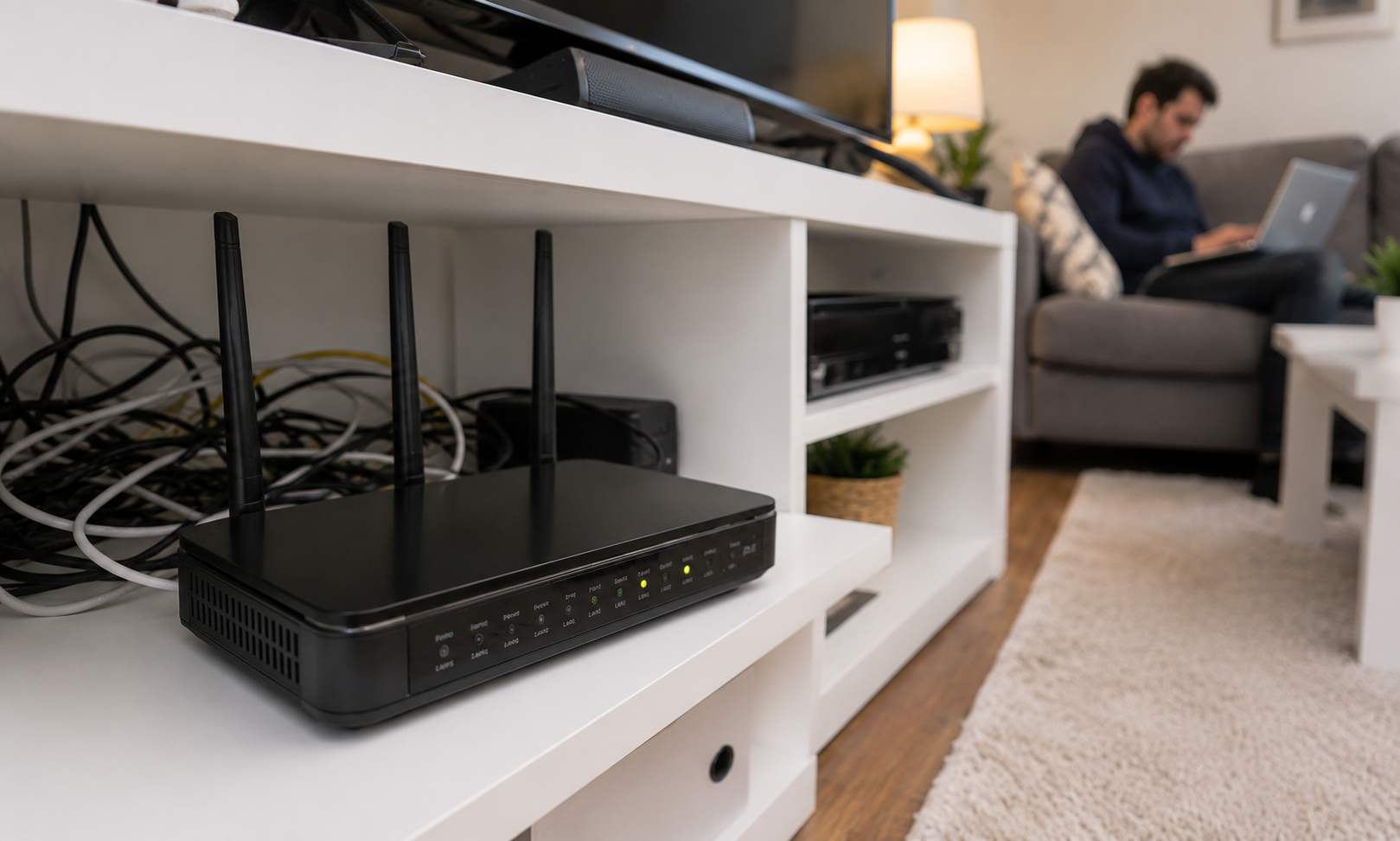
A large TV contains metal, electronics, and other materials that can weaken or redirect radio signals when it’s directly in the way. But the TV often isn’t the only issue. Look at everything we tend to cram into the same few feet of living-room real estate:
- Game consoles and streaming boxes
- AV receivers and soundbars
- Speakers and other electronics
- Cabinet doors, shelves, and decorative storage
- A wall directly behind the entire setup
Then we tuck the router somewhere in the middle of it all.
That’s where a perfectly reasonable setup can become a Wi-Fi obstacle course. No single item necessarily causes a dramatic problem, but enclosing the router behind a TV and several layers of electronics, furniture, and building materials gives the signal more to contend with before it ever reaches the rest of the house.
If your router is buried in the entertainment center, pull it into a more open position temporarily and check one of your usual trouble spots again. A noticeable improvement tells you the TV may have been only one member of the obstruction committee.
5. The Fish Aren’t Using Your Wi-Fi, But…
Your aquarium isn’t secretly streaming Netflix after you go to bed. The water itself is the interesting part.
Water can absorb radio-frequency energy, which means Wi-Fi signals lose some strength as they pass through it. A glass of water beside your laptop won’t cause a Wi-Fi crisis. A 75-gallon aquarium is another matter.
The bigger the body of water, the more potential it has to weaken the signal. Pay particular attention when you have:
- A large aquarium near the router
- A fish tank between the router and a room where Wi-Fi struggles
- A large water heater near the router or between it and frequently used devices
- Multiple water-filled obstacles along the route through the house
Location still matters enormously. A huge aquarium sitting off to one side may have little noticeable effect. Put that same tank directly between your router and the family room, and you’ve given the signal a lot of water to get through.
Try This: Stand In Your Wi-Fi Dead Zone
Go to the spot where your Wi-Fi always seems to struggle. Now think about where your router sits.
Imagine an invisible line connecting the two. What does that line have to get through?
- How many walls or rooms?
- What’s sitting in the way?
- Is the router hidden behind or inside something?
- Is the route more complicated than you realized?
Don’t worry about fixing anything yet. Just identify the suspects.
6. That Oversized Furniture Isn’t Doing Your Wi-Fi Any Favors
That enormous sectional may be perfect for movie night. Your Wi-Fi signal is somewhat less impressed.
Large pieces of furniture can become physical obstacles, particularly when they’re positioned between your router and the places where you actually use Wi-Fi. The bigger and denser the piece, the more material the radio signal has to contend with.
Think beyond the couch. Potential obstacles include:
- Tall, packed bookcases
- Large wardrobes and armoires
- Heavy desks and storage units
- Oversized sofas and sectionals
- Dense shelving filled with books or other belongings
A sparse wooden table isn’t much of a concern. A floor-to-ceiling bookcase packed with hundreds of books is a very different obstacle. Excellent for your reading goals. Less impressive for radio propagation.

This is worth considering when Wi-Fi struggles in a surprisingly specific spot. If your favorite chair sits behind a giant bookcase or your home office is separated from the router by a massive sectional, try moving your device a few feet to either side and test again.
You don’t have to rearrange the living room for Wi-Fi. But a small change in router or furniture placement may give the signal a less obstructed route.
7. Not All Walls Are Created Equal
You probably don’t need us to tell you that a wall can weaken Wi-Fi. What’s more surprising is just how much the stuff inside that wall can change the equation.
Wi-Fi radio waves can pass through many common building materials, but they lose energy along the way. Some materials are considerably tougher on the signal than others.
Generally easier for Wi-Fi to get through:
- Drywall
- Plywood and some wood construction
- Interior walls without much plumbing or metal
More challenging:
- Brick and stone
- Concrete
- Ceramic tile
- Reinforced concrete
- Walls containing substantial metal, pipes, or ductwork
This is why distance alone can be a lousy predictor of Wi-Fi performance. Your laptop might work beautifully 30 feet from the router down an open hallway but struggle in a bedroom only 15 feet away.
The difference could be what’s packed into those 15 feet. Unfortunately, your Wi-Fi didn’t get a copy of the floor plan.
A bathroom can add tile, plumbing, mirrors, and multiple walls to the journey. A fireplace or masonry chimney can put a dense mass of brick or stone right in the middle of the house. And reinforced concrete can combine dense material with metal reinforcement that’s particularly unfriendly to radio signals.
So when one room seems inexplicably worse than another, don’t just count the feet. Look at what your house is made of.
8. Upstairs Wi-Fi Has More In Its Way Than You Think
Here’s a particularly annoying Wi-Fi mystery: the bedroom directly above your router has a worse connection than a room much farther away on the same floor.
It seems backward until you consider what separates those two rooms.
A floor isn’t necessarily just hardwood, carpet, or tile. Depending on how your home is built, the Wi-Fi signal may also have to contend with:
- Subflooring and structural joists
- Plumbing and electrical wiring
- HVAC ducts and other metal components
- Dense tile or stone
- Concrete or reinforced concrete in some buildings
- Metal components used in certain radiant floor-heating systems
Construction varies enormously, which is why two homes with similar layouts can have very different upstairs Wi-Fi. An open wood-framed floor is one challenge; concrete, ductwork, plumbing, and metal packed between levels can be another entirely.
So if your Wi-Fi has a distinct “great downstairs, terrible upstairs” personality, don’t let the short distance fool you. The problem may be what’s hiding inside the floor between you.
9. Bluetooth, Baby Monitors & Other Wireless Devices Add To The Crowd
Take a quick inventory of everything in your house that communicates wirelessly. Your router probably has a lot more company than you realize.
Bluetooth operates in the same general 2.4 GHz spectrum used by 2.4 GHz Wi-Fi. Some baby monitors, wireless cameras, smart-home devices, and other household gadgets also use frequencies in this neighborhood.

That doesn’t mean your Bluetooth earbuds are secretly destroying your internet connection. Modern wireless technologies are designed to coexist, and Bluetooth uses frequency hopping, rapidly moving among frequencies to help avoid getting stuck on one busy slice of spectrum.
But put enough wireless activity into the same space and 2.4 GHz can become a pretty crowded place to communicate.
Potential contributors include:
- Bluetooth speakers and headphones
- Wireless game controllers
- Some baby monitors and wireless cameras
- Smart-home and IoT devices
- Other equipment operating in the 2.4 GHz spectrum
Here’s a useful clue: if a connection struggles on 2.4 GHz but performs normally on 5 GHz, competing radio traffic becomes more interesting than a wall or piece of furniture.
And if the trouble reliably starts when one particular wireless device turns on, you’ve just narrowed the guest list considerably.
10. The Problem Might Not Even Be Inside Your House
You’ve checked the appliances, walls, furniture, and wireless gadgets around your home. But there’s one source of Wi-Fi trouble you can’t move three feet to the left: your neighbors.

Nearby Wi-Fi networks use the same limited radio spectrum, which means you don’t have to share your internet connection to compete for the same airwaves.
This can become especially noticeable in apartments, condos, townhouses, and dense neighborhoods where dozens of networks may be operating close together.
The 2.4 GHz band can get particularly crowded because it has relatively few non-overlapping channels. When multiple nearby networks are trying to use the same channel, they have to share the available airtime.
Your neighbors become a more interesting suspect when:
- Wi-Fi gets noticeably worse during busy evening hours.
- Your phone or laptop detects a small army of nearby networks.
- 2.4 GHz struggles more than 5 GHz on compatible devices.
- The problem changes with the time of day rather than your location in the house.
Most modern routers can choose channels automatically, so resist the temptation to start changing settings at random. Using 5 GHz or 6 GHz on compatible devices can give you more breathing room when 2.4 GHz is particularly crowded.
By now, your perfectly ordinary house may be looking a little more suspicious.
The 5-Minute Wi-Fi Suspect Test
By now, you may have several suspects and absolutely no desire to start rearranging your house based on Wi-Fi hunches.
Good. Test before you move anything permanently — or spend money trying to fix it.
Here’s a quick way to narrow things down:
- Start beside the router. Check your Wi-Fi performance from a few feet away to establish a baseline.
- Move to your usual trouble spot. Use the same device and see how much the connection changes.
- Change one thing at a time. Move the device, temporarily reposition the router, open a cabinet door, or switch Wi-Fi bands if your equipment allows it.
- Test again. You’re looking for a repeatable change, not one unusually good speed test.
- Follow the clue. If one small change consistently improves the connection, investigate that before changing anything else.
You don’t necessarily need exact speed numbers. You’re looking for patterns.
If pulling the router out of a cabinet suddenly makes the upstairs bedroom usable, that’s much more useful information than knowing one test hit 187 Mbps.
You Can’t Move Your Walls, But You Can Move Your Router
Once you’ve identified what’s getting in the way of your Wi-Fi, the obvious problem is that most of your house isn’t particularly interested in being rearranged.
You can’t move a brick wall, eliminate the floor between stories, or relocate your refrigerator every time you want better Wi-Fi upstairs. What you can change is where the signal starts.
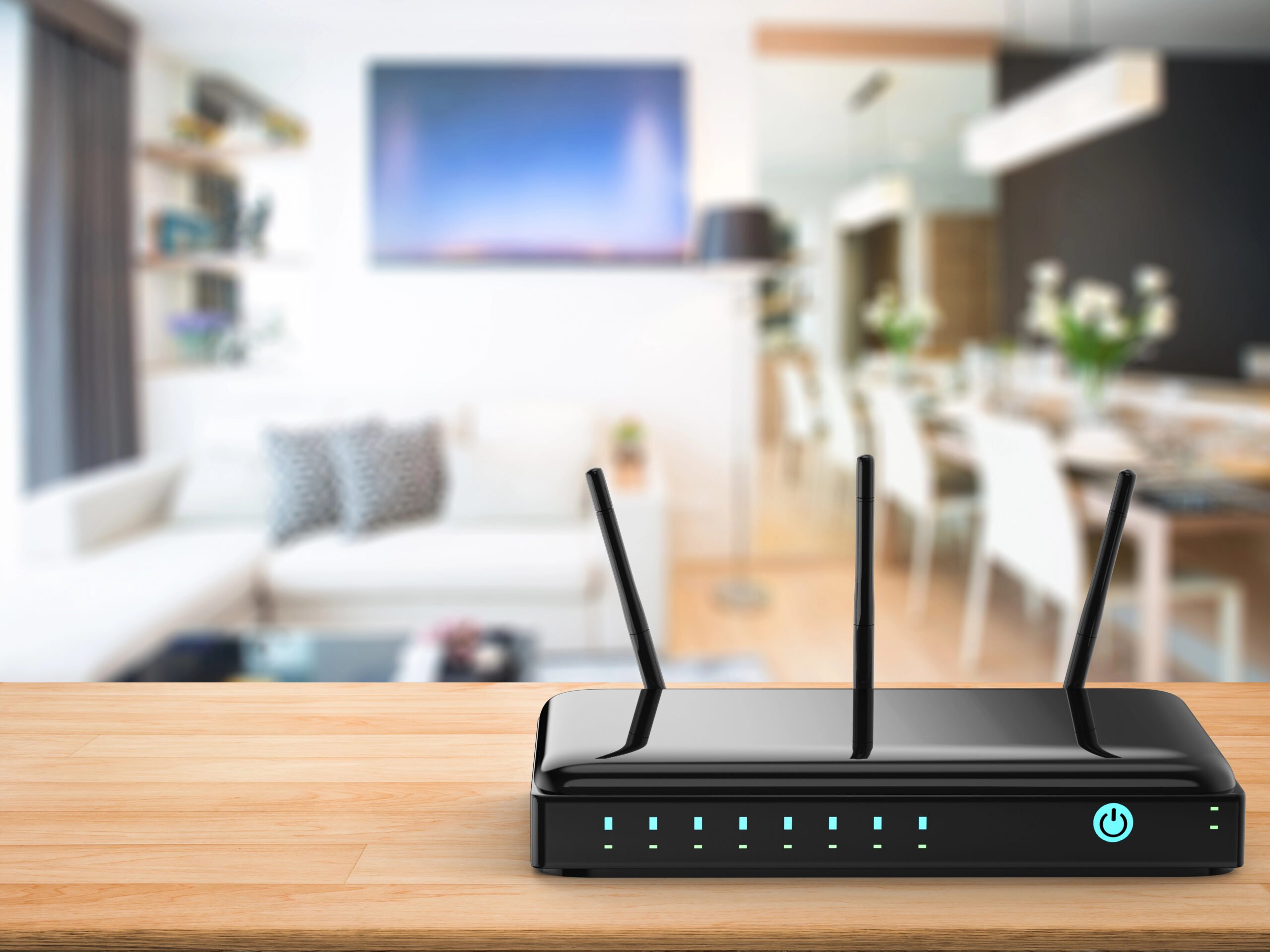
Router placement can make a surprisingly big difference, especially when you use what you’ve learned about your home’s trouble spots to choose a better location.
When possible, aim for a router that’s:
- Near the center of the areas where you use Wi-Fi most, rather than automatically putting it at one end of the house
- Out in the open, not inside a cabinet, closet, or packed shelving unit
- Elevated on a desk, table, or open shelf instead of sitting on the floor
- Away from large metal objects, major electronics, and large bodies of water
- Positioned to avoid your home’s toughest barriers, such as masonry fireplaces, concrete walls, or several walls packed closely together
Don’t get hung up on finding one mathematically perfect location. A few feet can sometimes give Wi-Fi a much easier route around an obstacle you can’t change.
If moving the router isn’t practical — or your home is simply too large or difficult for one router to cover well — that’s when a mesh Wi-Fi system becomes worth considering.
When A Mesh Wi-Fi System Can Help
If your home has multiple floors, thick walls, masonry, or a layout that one router simply can’t cover well, moving the router may only get you so far.
A mesh Wi-Fi system uses multiple Wi-Fi units, often called nodes or points, placed around your home. Instead of every device trying to reach one router from wherever it happens to be, your phone, laptop, or TV can connect through a closer mesh point.
That can be especially useful when you need to work around obstacles you can’t move. Rather than forcing one signal to travel through several walls or floors, strategically placed mesh points can bring strong Wi-Fi closer to those difficult areas.
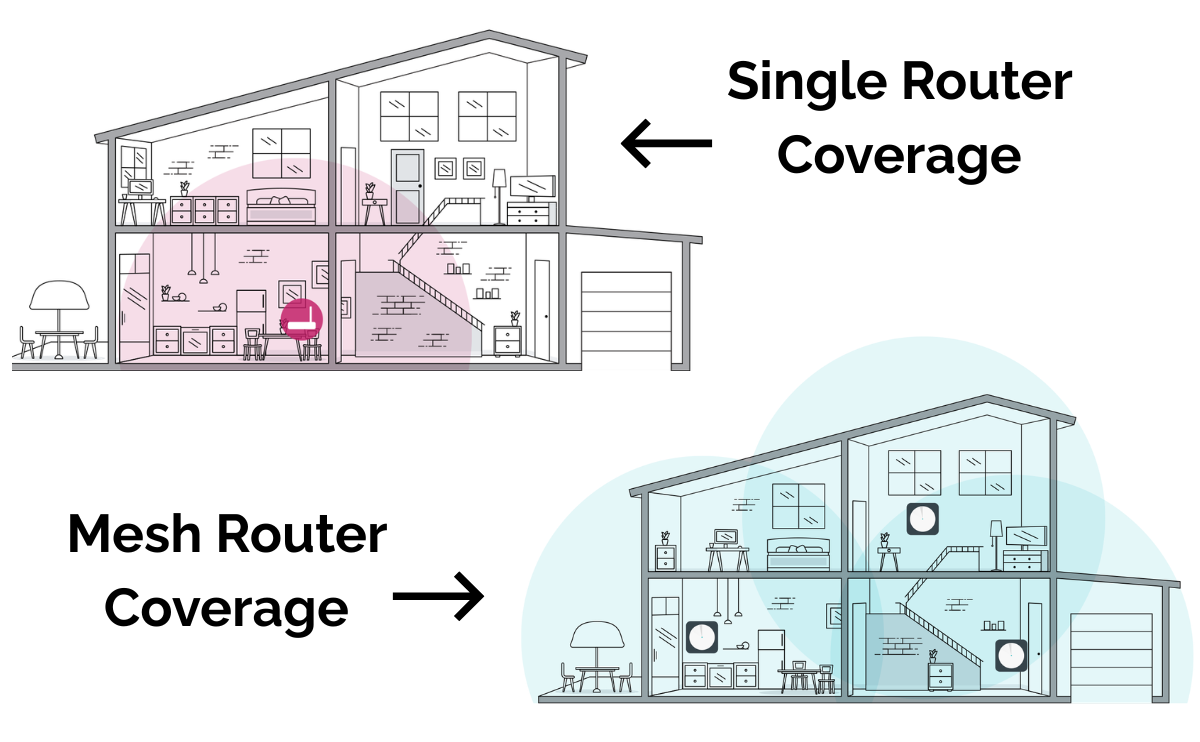
Mesh may be worth considering if:
- You have persistent dead zones despite improving router placement.
- Wi-Fi drops significantly between floors or across a large home.
- Thick walls or other structural barriers make certain areas difficult to reach.
- You need reliable coverage in several widely separated parts of the house.
Mesh isn’t automatically the answer to every Wi-Fi problem. If your internet is slow right beside the router, adding more Wi-Fi points won’t fix the underlying issue. But when the problem is coverage, mesh can be a much better solution than asking a single router to reach everywhere.
What If The Stuff In Your House Isn’t The Problem?
Here’s where that five-minute test becomes useful. If Wi-Fi is lousy even when you’re standing a few feet from the router, the aquarium across the house probably deserves an apology.
The problem may be somewhere else entirely. A few possibilities move higher on the suspect list:
- Your router is showing its age. Older hardware may struggle with newer devices, faster internet plans, or a busy modern household.
- Your internet connection itself is having trouble. Wi-Fi can be working perfectly while the connection coming into your home is slow or unstable.
- One device is the problem. If everything works except one phone or laptop, start investigating that device rather than the entire network.
- Your household is pushing the connection hard. Streaming, gaming, video calls, downloads, and cloud backups can pile up quickly.
A newer router won’t move a brick wall, and a mesh system won’t fix an ISP outage. But one of the best clues is where the problem follows you.
If Wi-Fi consistently falls apart in the same part of the house, focus on coverage and obstacles. If it’s bad everywhere, including right beside the router, it’s time to look beyond your home’s furniture and construction.
Frequently Asked Questions
Still eyeing something in your house suspiciously? Wi-Fi can behave in some surprisingly specific ways, and not every culprit fits neatly into the list above. Here are a few more questions worth investigating. If you don’t see yours here, ask us in the comments.
Can People Actually Block A Wi-Fi Signal?
Surprisingly, yes — at least to some degree. Human bodies contain a lot of water, and as we’ve seen, water absorbs radio-frequency energy.
You probably won’t notice your Wi-Fi collapsing every time someone walks across the living room. But in very crowded spaces or when people are directly between a device and an access point, human bodies can contribute to signal attenuation. It’s one reason wireless performance at a packed party can look rather different from performance in the same room when you’re home alone.
Do Wi-Fi Bars Tell Me If Something Is Blocking My Signal?
They can provide a clue, but those little bars aren’t precision instruments. Your phone or laptop decides how to translate signal strength into its Wi-Fi icon, and different devices may display the same connection differently.
For troubleshooting, repeatable real-world changes matter more than gaining or losing one bar. If video calls consistently improve when you move to another part of the room, that’s useful evidence even if the icon barely changes.
Can Closing A Door Make Wi-Fi Worse?
It can, although the type of door matters far more than the act of closing it.
A lightweight interior wood door may have little noticeable effect. A solid-core, metal, fire-rated, or heavily reinforced door can be a more substantial obstacle. This is especially true for garage doors, utility areas, some apartment entry doors, and rooms built with heavier construction.
Does Weather Affect Wi-Fi Inside Your House?
Usually, rain outside isn’t the reason your bedroom Wi-Fi suddenly stinks. Home Wi-Fi covers relatively short distances indoors, where walls, placement, interference, and other local conditions generally matter much more.
Severe weather can still affect your internet service if it damages infrastructure, disrupts power, or affects certain types of fixed-wireless or satellite connections. That’s an important distinction: your internet connection can have a weather problem even when the Wi-Fi connection between your device and router is working normally.
Keep Troubleshooting Your Wi-Fi
If your furniture, appliances, and walls aren’t the whole story, the next clue is how your Wi-Fi is misbehaving. Keep troubleshooting with these guides:
- Bad router location? Your Router Might Be In The Worst Possible Spot
- Slow everywhere? Why Your Wi-Fi Isn’t As Fast As It Should Be
- Keeps dropping? Why Your Wi-Fi Keeps Disconnecting
- Works in one room but not another? Why Technology Works In One Room But Not Another
What’s the weirdest thing you’ve discovered was messing with your Wi-Fi? Was it the microwave, an unfortunately placed aquarium, a router buried behind the TV, or something even stranger? Tell us what you found in the comments.