There’s a special kind of betrayal in opening your internet bill and realizing it has gotten more expensive again.
You swear you signed up for $59.99 a month. Somehow, that number has evolved into $84.37, yet Netflix isn’t loading any faster, the upstairs Wi-Fi still has trust issues, and your video calls occasionally freeze on the least flattering frame possible.
So what exactly are you paying more for?
Sometimes, the answer is buried in the fine print of your bill. Other times, you’re paying for internet speed your home can’t actually use.
Before you hand your provider another $20 for an “upgrade,” let’s figure out where your money — and your speed — are really going.
Want our human-written content to rank above AI-generated garbage? Help us out by clicking this button!

Part One: Where Did The Extra Money Go?
Something changed between the price you signed up for and the number staring back at you today. The trick is figuring out what.
Grab your current bill and an older one. Internet costs can creep upward for several reasons, and the culprit isn’t always an obvious new fee.
1. Your Promotional Price Expired
That suspiciously affordable price that convinced you to sign up may never have been your internet plan’s real long-term price.
You might sign up for $49.99 a month, enjoy that price for a year, and then discover your bill is suddenly $69.99.
Nothing got faster, nobody installed a new router, and your internet didn’t receive a promotion at work.
Your discount expired.

That discount might have come from:
- Introductory pricing: Reduces your base monthly rate for a set period.
- Monthly credits: Appear as separate discounts on your bill.
- Bundle discounts: Reward you for combining internet with other services.
- Autopay or paperless billing discounts: Knock a few dollars off for enrolling.
- Provider-specific discounts: Apply when you meet certain eligibility or account requirements.
Once one disappears, you’re left paying the provider’s regular rate — the standard price for the service without that particular promotion or discount.
To find out if that’s what happened to you, compare your current bill with an older one. Look for sections labeled discounts, credits, promotions, or adjustments. You’re not necessarily hunting for a new charge; a missing $10 or $20 credit may explain the entire increase.
Check the notices on previous bills, too. That’s where providers may announce an expiring promotion or upcoming price change, sometimes several pages beyond the number that made you spit out your coffee.
If you find an expired discount, write down the old rate, the new rate, and the amount of the lost credit. You’ll want those numbers when you contact your provider later. Don’t change plans yet — first, find out whether another discount is available and what the regular price will be after any new promotion ends.
2. The Little Charges Have Started Multiplying
Maybe your promotion is still intact. Now it’s time to look at everything surrounding the advertised price of your internet plan.
Because the number attached to the plan isn’t necessarily the number that lands on your credit card.
Depending on your provider, service, and location, your bill might also include charges for:
- Modem, router, or gateway rental
- Wi-Fi equipment or service
- Mesh units or Wi-Fi extenders
- Additional equipment
- Optional security or technical-support packages
- Installation or payment-related fees
- Applicable taxes
- Regional, regulatory, or provider-specific surcharges
Not all of these are “hidden fees.” Some are clearly disclosed, some vary based on where you live, and some pay for services you’re genuinely using.
The important question is whether you know what each one is — and whether you still need it. A $5 or $10 charge can be easy to shrug off when you’re scanning a monthly bill. But internet service isn’t something you buy once. You pay that charge 12 times every year.
Circle anything you don’t recognize. Then, log in to your provider account and find out whether each charge is required for your internet service or is tied to something optional. Security packages, support plans, extra Wi-Fi equipment, and other add-ons are particularly worth checking if you don’t remember signing up for them.
3. You May Still Be Renting Equipment You Could Own
There’s one recurring charge that’s especially worth doing the math on. Look at your bill for words like equipment, modem, router, gateway, or Wi-Fi equipment.
If there’s a monthly charge beside one of them, you’re likely renting hardware from your internet provider.
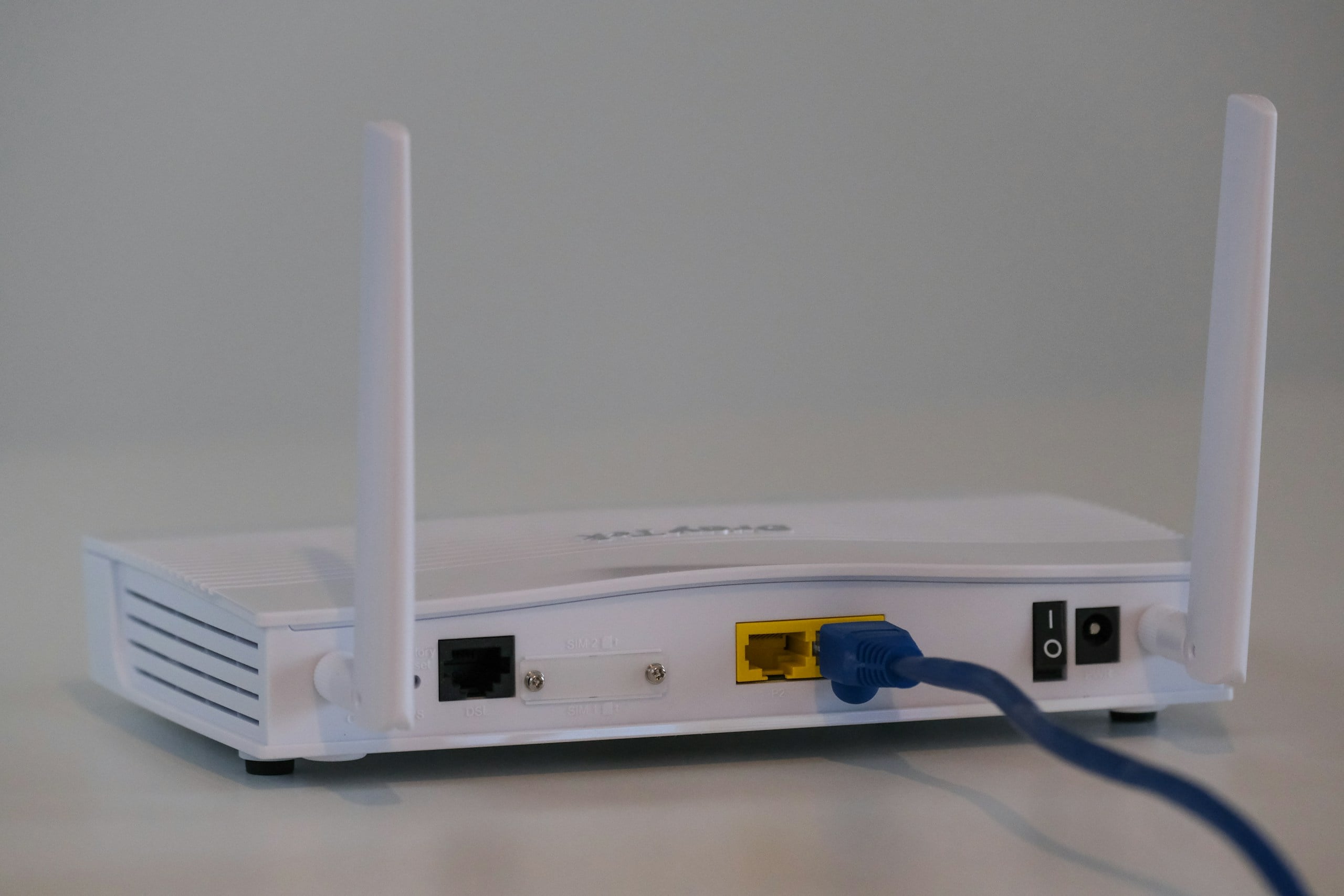
The terminology gets confusing fast, so here’s what each device actually does:
- Modem: Connects your home network to your internet provider’s service.
- Router: Creates your home network and delivers the connection to your devices via Wi-Fi or Ethernet.
- Gateway: Combines modem and router functions in one device.
Renting isn’t necessarily a bad deal. Provider equipment is generally compatible with the service, and the rental may come with technical support, troubleshooting, upgrades, or replacement if something goes wrong. For plenty of people, paying for that convenience is worth it.
But do the long-term math before automatically renewing that relationship every month.
If you’re paying $15 a month for equipment, that’s $180 a year — or $540 over three years.
Buying your own compatible equipment can eliminate that recurring charge.
Before buying your own equipment, calculate your break-even point. Divide the purchase price by your monthly rental fee. A $180 modem/router replacing a $15 monthly rental pays for itself in about 12 months. If you expect to keep the service much longer than that, ownership becomes more interesting.
But don’t order a shiny new router just yet. First, verify that your ISP allows customer-owned equipment, find out exactly which equipment you’re being charged for, and check the provider’s approved or compatible-device requirements.
Fiber connections can also work differently from cable internet. Your provider may need to supply an optical network terminal (ONT) or other equipment even if you use your own router.
Also check whether you’ll lose any provider features by supplying your own equipment, such as managed Wi-Fi, included technical support, or automatic equipment upgrades.
Part Two: Why Paying For More Speed Doesn’t Always Make Your Internet Better
So your bill is higher. At least you’re getting better internet for all that extra money, right? Not necessarily.
You can pay for a faster plan, see an impressive new number followed by “Mbps” or “Gbps,” and still have a TV that buffers or a bedroom where Wi-Fi goes to die.
That’s because the speed you’re buying from your internet provider and the performance you’re experiencing on your devices aren’t always the same thing.
And this is where paying more can become especially frustrating.
4. The Speed You’re Buying Isn’t The Speed You’re Experiencing
When an internet provider sells you a 500 Mbps or 1 Gig plan, it’s easy to assume that’s the speed your laptop, phone, and TV should be getting.
But your connection has several stops to make before it reaches the device in your hand:
Internet provider → Modem or ONT → Router → Wi-Fi → Your device
Your internet plan determines how much speed can reach your home. Your home network determines how much of that performance actually reaches your devices.
Think of your plan speed as the water supply coming into your house. Increasing the supply doesn’t help much if something farther down the line restricts how much water reaches the upstairs shower.
Your internet works the same way.
Every step between your provider and your device has the potential to limit performance. That means the connection entering your home could be perfectly capable of delivering the speed you’re paying for while your laptop on the second floor experiences something very different.
This is why upgrading from 300 Mbps to 1 Gig can produce such a baffling result: the number on your bill gets bigger while your internet experience barely changes.
If the internet plan wasn’t limiting you in the first place, increasing its speed won’t remove whatever was.
So where do we look next?
At the piece of equipment responsible for getting that connection around your house: your router.
5. Your Router Can Put A Speed Limit On A Faster Plan
Say your provider offers to bump you from 300 Mbps to 1 Gig. That’s more than three times the advertised download speed, so surely everything in your house is about to become three times faster.
You upgrade. Your laptop upstairs remains deeply unimpressed.
Your router may be the bottleneck.
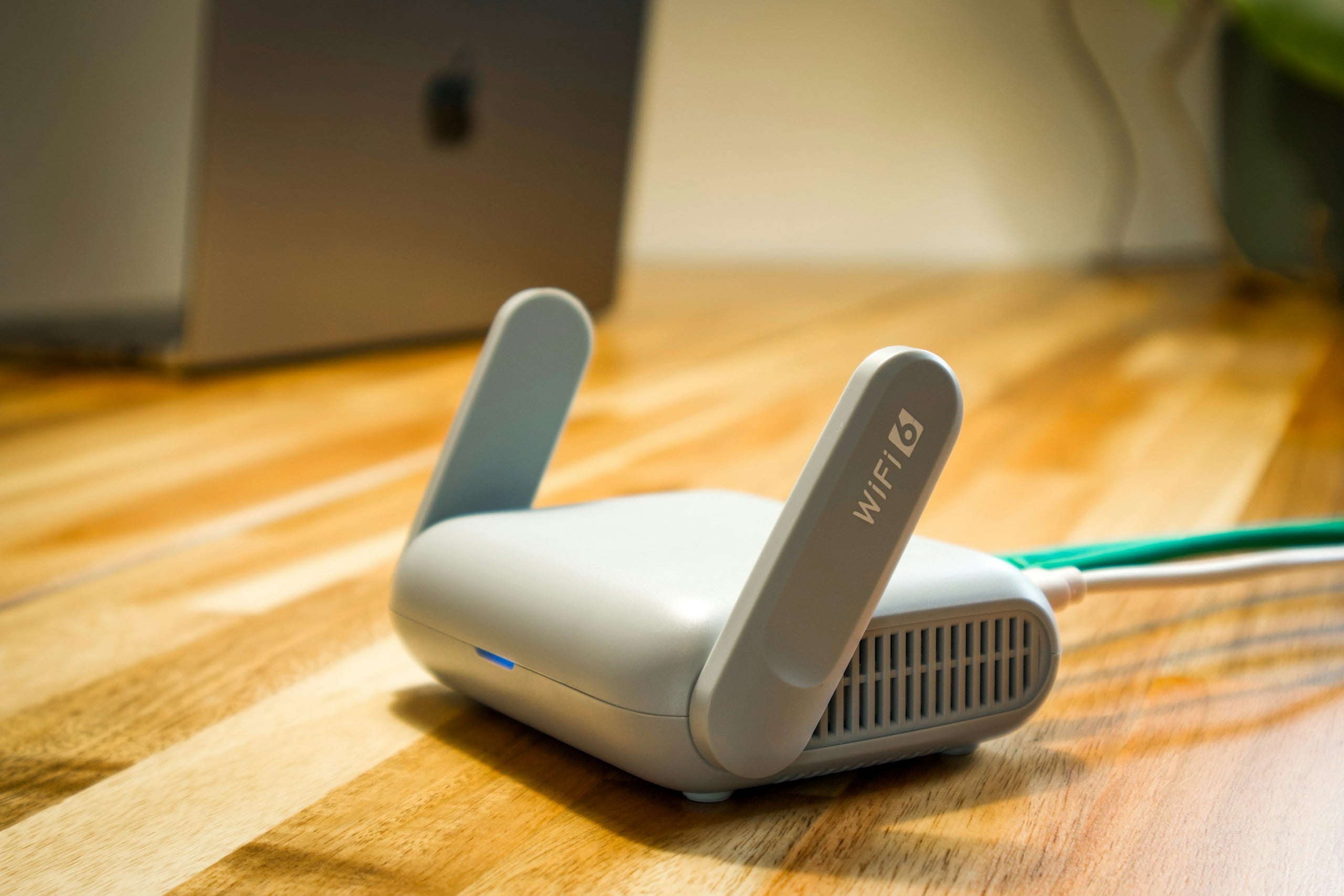
Routers have their own hardware limitations, and an older model may struggle to take advantage of the faster connection you’re now paying for. Depending on the router, potential limitations include:
- Older Wi-Fi technology: Newer Wi-Fi generations are designed to handle higher speeds and more connected devices efficiently.
- Slower Ethernet ports: Some older hardware can’t support today’s faster internet tiers over a wired connection.
- Limited processing power: Your router has to manage traffic among all the devices using your network.
- Weak coverage: A fast connection doesn’t help much when the Wi-Fi signal barely reaches the room you’re sitting in.
- Too many competing devices: Older routers can struggle when a house full of phones, TVs, laptops, cameras, speakers, and other connected devices all want attention.
Check What Your Router Can Actually Handle
Find the model number on the router itself or in your provider’s app, then look up its specifications. Pay particular attention to its Wi-Fi generation and Ethernet port speeds. If you’re paying for gigabit service but some part of your network hardware tops out well below that, you’ve found a potential choke point.
Don’t replace the router based on age alone. Compare its capabilities with the plan you’re paying for and the devices you actually use.
6. You Might Be Paying For More Speed Than You Actually Need
Internet plans are usually presented like storage units at a rental facility: Surely the bigger one must be better.
But once your connection is fast enough to handle what your household actually does online, adding hundreds of extra megabits may make surprisingly little difference.
That’s because internet speed isn’t simply a measure of how fast websites appear. Bandwidth is the amount of data your connection can handle at once. More of it becomes useful when several people or devices are doing bandwidth-intensive tasks at the same time.
A household simultaneously streaming 4K video, downloading huge files, joining video calls, and backing up data to the cloud has very different needs from someone checking email, scrolling Facebook, and watching Netflix at night.

And some activities people associate with needing enormous speeds don’t necessarily need them.
Online gaming is a great example. Once you have sufficient bandwidth, a stable connection with low latency (the delay between sending data and receiving a response) can matter more than adding additional download speed. A 1 Gig plan won’t magically fix lag caused by poor Wi-Fi or high latency.
The same goes for everyday browsing. Jumping from an already-fast connection to an ultra-fast one doesn’t mean Facebook will suddenly reveal Aunt Linda’s vacation photos at breathtaking velocity.
So, before paying for the highest-speed plan your provider offers, ask a better question: What does my household actually need the connection to do?
How Much Internet Speed Do You Actually Need?
Individual online activities use less bandwidth than you might expect. For example, Netflix recommends about 5 Mbps for a 1080p stream and 15 Mbps for 4K, while a 1080p Zoom call typically needs only a few Mbps in each direction.
Your internet plan, however, has to handle everything happening in your house at the same time. As a practical starting point:
| Household Use | A Reasonable Starting Range | Think About |
|---|---|---|
| 1–2 people: browsing, email, social media, occasional streaming | 50–100 Mbps | Plenty for typical everyday use |
| 1–3 people: HD/4K streaming, video calls, gaming | 100–300 Mbps | Simultaneous activity matters more than device count |
| 3–5 people: multiple streams, gaming, video calls, downloads | 300–500 Mbps | Useful for busy households with several active users |
| Heavy-use household: many simultaneous streams, large downloads/uploads | 500 Mbps–1 Gig | Worth considering when several bandwidth-heavy activities regularly overlap |
| Frequent large uploads, cloud backups, content creation | Check upload speed separately | A huge download number doesn’t guarantee fast uploads |
These aren’t hard minimums. They’re practical starting ranges, not promises that every household with three people needs 300 Mbps. Your Wi-Fi quality, devices, upload speed, and the number of bandwidth-heavy activities happening simultaneously all affect what you’ll experience.
Here’s the useful reality check: one 4K Netflix stream is recommended at about 15 Mbps. Even four simultaneous 4K streams would represent roughly 60 Mbps of streaming bandwidth—not 1 Gig.
That doesn’t mean a 100 Mbps plan is automatically right for a four-TV household; other devices and activities need room, too. But it does show why “We have lots of devices, so we need gigabit internet” isn’t necessarily true.
Check Your Actual Usage Before Changing Plans
Before dropping to a cheaper tier, think about the busiest hour in your house, not just how many devices you own.
Twenty smart bulbs sitting around doing almost nothing aren’t the same as four people simultaneously streaming, gaming, video calling, and downloading large files.
If your ISP provides data-usage history, it can still be useful for spotting major changes in your household’s internet habits, but monthly data consumption doesn’t tell you how much speed you need.
Instead, pay attention to what happens during peak use. Does everything work normally when the whole household is online? Or do slowdowns consistently appear when several bandwidth-heavy activities overlap?
That’s the moment your internet plan needs enough capacity to handle.
Part Three: Before You Pay For An Upgrade, Find The Real Bottleneck
Before you give your ISP more money, figure out what you’re actually trying to fix.
A slow connection leaves clues. Where it happens, which devices are affected, and what you’re doing when it starts can tell you whether the problem is your internet plan, your Wi-Fi network, your equipment, or something else entirely.
7. Let The Pattern Tell You What’s Wrong
By now, we have several possible suspects: your internet plan, router, Wi-Fi network, or even the device you’re using.
You don’t have to guess which one is causing trouble. Look at the pattern.
Start with where the problem happens. If your internet flies while you’re sitting near the router but struggles upstairs, that points toward Wi-Fi coverage rather than insufficient bandwidth.
If one laptop crawls while every other device works normally, the device deserves attention before your internet plan does. Blaming the whole connection would be a bit like replacing the highway because your car has a flat tire.
And if every device starts struggling at the same time? Now the router, modem, ISP connection, or available bandwidth moves higher on the suspect list.
What Should You Check First?
| If You Notice… | Suspect First | Don’t Immediately Buy… |
|---|---|---|
| One Wi-Fi dead zone | Coverage or interference | Faster internet |
| One slow device | Device or network settings | A new router |
| Slow internet everywhere | Router, modem, or ISP | A mesh system |
| Fast Ethernet, slow Wi-Fi | Wireless network | More ISP bandwidth |
| Everyone disconnects together | Router, modem, or ISP | A faster plan |
| Trouble when everyone is online | Bandwidth or network congestion | Anything until you test |
Put Your Suspect To The Test
Run a speed test close to your router, then repeat it where you normally experience trouble. If possible, test a computer connected directly to the router with an Ethernet cable as well.
Don’t get hung up on whether the numbers match perfectly. The differences are what we’re interested in.
Fast Ethernet but lousy Wi-Fi points toward your wireless network. A dramatic drop in one part of the house points toward coverage. Poor performance everywhere gives you a reason to investigate farther upstream.
The goal isn’t to diagnose every networking problem from your couch. It’s to identify which part of the connection deserves your attention before you spend money trying to fix it.
8. The Upgrade Trap: When Paying More Actually Makes Sense
After all this talk about not throwing money at a faster plan, there’s an important flip side:
Sometimes you really do need more speed.
Maybe you signed up when two people were living in the house, and now four people are streaming, gaming, video calling, and downloading files at the same time. Maybe you started working from home, uploading large files, or backing up more data to the cloud.
Your internet needs aren’t frozen at the moment you choose a plan.
An upgrade may make sense when:
- Your household has grown, or you’re using substantially more connected devices.
- Multiple people regularly stream, download, or video call simultaneously.
- Your available bandwidth is consistently maxed out during normal household use.
- You need better upload performance for large files, cloud backups, or content creation.
- Your current plan no longer comfortably handles your everyday usage.
- Testing points to the internet connection itself rather than to weak Wi-Fi, outdated equipment, or a single troublesome device.
The important part is the order. Diagnose first. Upgrade second.
One simple clue: run a speed test when the house is relatively idle, then again during the time when everyone normally complains about the internet. If performance falls apart only under heavy simultaneous use — and you’ve ruled out a Wi-Fi coverage problem — your current plan becomes a more credible suspect.
So, if you’ve identified insufficient bandwidth as the problem, moving to a faster tier can be money well spent. If you haven’t, clicking the tempting “Upgrade My Speed” button may just give you a more expensive version of the exact same problem.
Part Four: How To Lower Your Internet Bill Without Making Your Internet Worse
By now, you should have a much better idea of whether you’re paying too much, buying too much speed, or blaming your internet plan for a problem happening somewhere else.
Now we get to the satisfying part: seeing what you can stop paying for.
9. Don’t Call Your ISP Empty-Handed
Calling your internet provider and asking, “Can you make my bill cheaper?” might work.
You’ll have a much stronger position if you know exactly what you’re paying for first.

Before you call, pull up your account and write down:
- Your current plan: Including the exact tier or package name.
- Your advertised speed: Both download and upload speeds, if they’re listed.
- Your actual service price: Separate this from taxes, equipment, and other charges.
- Your equipment and add-ons: Know what’s optional and what’s required.
- Competing offers in your area: See what other providers are charging for comparable service.
Check your provider’s online account before picking up the phone, too. You may be able to remove an add-on, compare plans, or change equipment options without spending 37 minutes developing an intimate relationship with the hold music.
If you do need to call, ask specific questions rather than simply requesting a lower bill:
- “Did one of my promotional discounts expire?”
- “Are there any current discounts available for my account?”
- “Am I paying for any optional services or add-ons?”
- “Can I use my own equipment instead of renting yours?”
- “What would my monthly bill be on the next-lower speed tier?”
- “Are there discounts for autopay or paperless billing?”
- “What will the total monthly price be after any new promotion expires?”
If you’ve found a comparable offer from another provider, ask whether there are any current plans or discounts that would make your service more competitive.
You may not get every charge removed or your old promotional rate restored. But now you’re having a very different conversation: you’re asking about specific ways to reduce a bill you actually understand.
10. Consider Downgrading Before Upgrading
Here’s an internet upgrade your provider probably won’t advertise with confetti: a cheaper plan.
If you’re paying for far more bandwidth than your household uses, dropping down a tier could lower your bill without making your everyday internet experience noticeably worse.

The key is not to downgrade blindly. Before changing plans:
- Look at how you actually use the internet. Streaming, browsing, gaming, video calls, and huge file transfers put different demands on your connection.
- Run speed tests at different times. See what you’re actually getting before deciding what you need.
- Count simultaneous heavy users. Four people streaming and downloading at once need more breathing room than one person browsing Facebook.
- Consider upload speed, not just download speed. This matters especially if you work from home, upload large files, create content, or rely heavily on cloud storage.
- Compare the tiers available to you. The next plan down may still provide plenty of bandwidth.
- Check what else changes. Switching tiers could affect promotional pricing, bundles, equipment, or other discounts.
For someone paying for 1 Gig service but barely pushing an already-fast connection, moving to a lower tier could be surprisingly uneventful. And that’s exactly what you want.
Before switching, ask whether you can move back to your current tier later and what it would cost. If the lower tier doesn’t work for your household, you’ll know what reversing the experiment involves.
If your internet still handles everything you ask of it and your monthly bill shrinks, you’ve finally found an internet “upgrade” that actually feels like one.
Frequently Asked Questions
Still staring suspiciously at your internet bill? Here are a few questions worth answering before you start changing things. Still have a question we haven’t covered? Ask us in the comments!
Can I Negotiate My Internet Bill?
Sometimes. Internet providers may have retention offers, current promotions, or lower-cost plans that aren’t obvious from your existing bill.
Your odds are better if you call prepared. Know what you’re paying now, what competing providers charge in your area, and which services you’re willing to change or drop.
Ask specifically about available discounts, lower-cost plans, and ways to reduce your monthly rate rather than simply demanding a better deal.
And don’t threaten to cancel unless you’re actually prepared to do it. Bluffing becomes considerably less fun when the representative says, “Certainly, I can help you with that.”
Can My Internet Provider Raise My Price Without Changing My Plan?
Yes. Your monthly price can increase even if your plan name, advertised speed, and equipment stay exactly the same. Providers can change their standard rates, subject to your service agreement and any applicable notice requirements.
That’s why an increase isn’t always tied to an expired promotion. If your discounts are still there, compare the base price of the service itself on your old and new bills.
Why Is My Internet Bill Different Every Month?
If your bill fluctuates rather than simply increasing once, look for variable or one-time charges. These might include prorated charges after a plan change, installation or technician fees, late-payment charges, equipment changes, or adjustments and credits.
Start with the line items that differ from the previous month rather than trying to decode the entire bill from scratch.
Does Using More Internet Make My Bill Go Up?
Usually, internet plans charge a fixed monthly price rather than billing you for every gigabyte you use. However, some providers and plans have data allowances or usage-based charges, so heavy usage could cost more if you exceed your plan’s limit.
Check your plan terms or online account for phrases such as data allowance, data cap, overage, or usage-based billing.
Is It Cheaper To Bundle Internet With Other Services?
It can be, but compare the total cost rather than the size of the discount.
A $20 bundle discount isn’t much of a bargain if you’re paying $40 for a service you wouldn’t otherwise buy. Also check whether the bundled price is promotional and what each service will cost when that promotion ends.
The cheapest internet bill and the cheapest bundle aren’t necessarily the same thing.
Don’t Pay More Until You Know What’s Slow
Your rising bill may have started this investigation, but the more useful question now is whether your internet plan is actually the thing slowing you down.
If your connection keeps dropping, start with our guide to why your Wi-Fi keeps disconnecting. If everything feels sluggish even when nobody else seems to be using the internet, there may be more happening on your network than you realize.
And if your internet behaves perfectly all day before falling apart every evening, our guide to why fast internet slows down at night can help you separate ISP congestion from problems inside your home.
Have you ever discovered a surprising reason your internet bill went up — or successfully talked your provider into lowering it? Tell us what happened in the comments. Your experience might help someone else cut their bill, too.