It’s late, the house is dead quiet, and you’re the only one awake. No one is upstairs gaming. Nobody is streaming movies in the living room. The kids aren’t downloading massive files.
Yet somehow, your Netflix video is stuck buffering, a webpage takes forever to load, and your internet feels like it’s suddenly gone back to 1999.
It’s one of the most frustrating tech problems because it doesn’t make sense. You pay for high-speed internet. The house is practically empty. So why does everything suddenly feel slow?
The answer is that a quiet house doesn’t necessarily mean a quiet network.

Even when nobody appears to be online, your devices, apps, smart home gadgets, and even your neighbors can be quietly affecting your connection behind the scenes.
Want our human-written content to rank above AI-generated garbage? Help us out by clicking this button!
Before you blame your internet provider—or start shopping for a more expensive plan—here are some of the hidden speed traps that could be slowing everything down.
Quick Reality Check: Which Kind Of Slow Internet Are You Dealing With?
Before we start blaming the Wi-Fi, your router, or your internet provider, here’s a quick way to narrow things down.
| If This Sounds Familiar… | It Could Be… |
|---|---|
| Only one phone, tablet, or computer feels slow | A device issue |
| Everything seems fine during the day but slows down at night | Neighborhood internet congestion |
| Restarting the router helps for a while | A router or network problem |
| You have full Wi-Fi bars but videos still buffer | Signal quality or interference |
| Downloads are fast, but websites feel sluggish | A browser, app, or device issue |
| The house is quiet, but your connection still feels busy | One of the hidden culprits below |
If you’re not sure which row sounds most like your situation, don’t worry. More than one of these can be happening at the same time.
Most People Guess Wrong
Many internet slowdowns get blamed on Wi-Fi, routers, or internet providers. In reality, the cause is often something much less obvious happening quietly in the background.
Why A Quiet House Doesn’t Mean A Quiet Network
One of the biggest misconceptions about home internet is that activity only happens when people are actively using devices.
In reality, modern homes are full of phones, computers, smart TVs, security cameras, gaming consoles, and cloud services that keep communicating long after everyone has gone to bed.
Your phone might be backing up photos. Your computer could be downloading updates. A security camera may be uploading video to the cloud. Your smart TV might be checking for new software.
In other words, just because nobody is scrolling, streaming, or gaming doesn’t mean your internet is sitting idle.
That’s what makes this problem so frustrating. The house feels quiet, but behind the scenes, dozens of devices and services may still be competing for bandwidth, router resources, or wireless airtime.
Let’s start with one of the most common culprits.
Reason #1: Your Devices May Be Working Overtime Behind Your Back
One of the most common causes of “mystery slow internet” isn’t another person in your house. It’s your own devices.
Modern phones, computers, gaming consoles, and apps are designed to assume that if you’re not actively using them, it’s the perfect opportunity to catch up on everything they’ve been putting off all day.

The Updates You Never See
Software updates rarely arrive at convenient times.
Your computer might decide it’s finally time to download the latest Windows or macOS update. Your smart TV could be grabbing a new firmware release. Your phone may be updating apps you haven’t opened in months.
Most of the time, these downloads happen in the background. The only clue is that your internet suddenly feels slower than it should.
The Midnight Download Club
Then there are the devices that seem determined to use every bit of bandwidth they can find.
Cloud storage services like iCloud, Google Drive, OneDrive, and Dropbox often start syncing as soon as your devices become idle. A day’s worth of photos, videos, and files can quickly turn into gigabytes of uploads and downloads.
Gaming devices can be even more aggressive. Steam, Epic Games, Xbox, and PlayStation regularly download massive updates without much fanfare. It’s not unusual for a single game update to be tens of gigabytes.
The frustrating part is that all of this can happen while the house feels completely quiet. Nobody is streaming. Nobody is gaming. And nobody is scrolling TikTok.
But behind the scenes, your devices may be treating your internet connection like an all-you-can-eat buffet.
Best Fix
- Pause cloud syncing temporarily and see if speeds improve.
- Schedule updates overnight when nobody is likely to be using the connection.
- Check gaming consoles and launchers for downloads running in the background.
- Disable unnecessary background app refresh on phones and tablets.
Reason #2: Your Internet Might Not Be The Problem At All
Sometimes, the internet isn’t actually slow at all — your device is just drowning.
This is one of the most frustrating possibilities because it looks exactly like a Wi-Fi problem. Websites take forever to load. Videos stutter. Apps seem sluggish. Everything feels slow.
Naturally, most people blame the internet. But in many cases, the real culprit is sitting right in front of them.
The 50-Tab Habit
If you’re the type of person who keeps thirty browser tabs open at once, those tabs aren’t just sitting there quietly.
Many websites continue refreshing in the background to check for new messages, notifications, headlines, videos, and updates. Every open tab uses memory and processing power, even when you’re not actively looking at it.
A handful of tabs usually isn’t a problem. Thirty, forty, or fifty tabs can be.
At some point, your computer spends more time managing browser tabs than loading the page you’re actually trying to use.

The Startup App Problem
Browser tabs aren’t the only things competing for resources.
Many apps are designed to launch automatically the moment your computer starts. Programs like Spotify, Discord, Microsoft Teams, game launchers, cloud storage services, and antivirus software often continue running in the background all day long.
Individually, most aren’t a big deal.
Together, they can quietly consume enough memory and processing power to make your device feel sluggish, even when your internet connection is working perfectly.
Slow Internet Or Slow Computer?
One of the easiest ways to tell the difference is to compare devices.
If your laptop feels painfully slow but your phone loads websites instantly on the same Wi-Fi network, your internet probably isn’t the problem.
Likewise, if downloads and speed tests look normal but web browsing feels sluggish, your browser or device may be struggling more than your connection.
Best Fix
- Close browser tabs you aren’t actively using.
- Disable unnecessary startup apps.
- Restart your device if it hasn’t been rebooted recently.
- Compare performance on another device using the same Wi-Fi.
Reason #3: Your Wi-Fi Signal Has To Fight Its Way Through Your House
Unlike a wired connection, Wi-Fi has to travel through the air. And between your router and your couch are walls, floors, furniture, appliances, mirrors, pipes, and dozens of other obstacles.
The farther the signal travels — and the more things it has to pass through — the harder it becomes to maintain a fast, reliable connection.
The Things That Interfere With Wi-Fi
In addition to thick walls, multiple floors, and other barriers, many common household items can interfere with wireless signals.
- Microwaves
- Bluetooth devices
- Baby monitors
- Wireless speakers
- Even your neighbors’ Wi-Fi networks
Most of the time, you don’t notice this interference until something demanding comes along, like a video call, a large download, or a streaming service trying to play in high definition.
That’s when buffering, lag, and random slowdowns start showing up.
Why One Room Feels Fine, And Another Doesn’t
One of the biggest clues that you’re dealing with a Wi-Fi problem is that performance changes depending on where you are.
Maybe the internet feels fast in the kitchen but terrible in the bedroom. Or maybe your laptop struggles from the couch but works perfectly from the dining room table.
When internet performance changes dramatically based on location, the issue often isn’t your internet plan. It’s the path the Wi-Fi signal has to take to reach you.
Best Fix
- Test your connection closer to the router.
- Use the 5GHz network when available.
- Move routers into open areas instead of cabinets or corners.
- Keep routers away from major electronics when possible.
Reason #4: Your Neighborhood May Be Hitting Internet Rush Hour
You might be completely alone in your house, but you’re still sharing part of the digital road with everyone around you.
This is one of the most confusing causes of slow internet because nothing inside your home appears to be wrong. Your devices are fine. Your Wi-Fi signal is fine. Your router is working normally.
The Internet Version Of Rush Hour
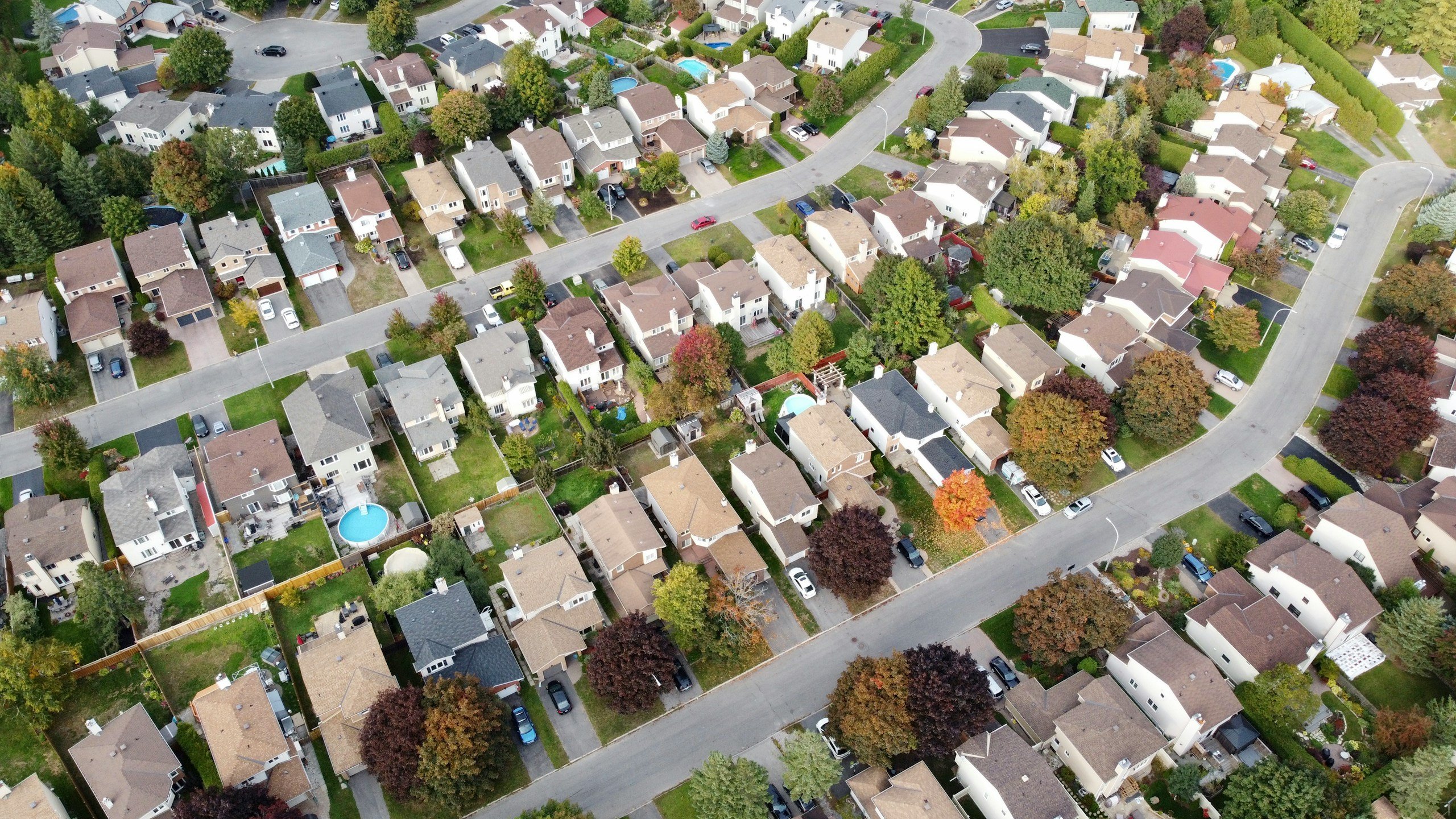
Many internet providers, especially cable providers, serve groups of homes through shared neighborhood infrastructure.
Think of it like a highway.
At 10:00 AM on a Wednesday, traffic is light, and everything moves quickly. But at 7:00 PM, everyone gets on the road at the same time.
That’s exactly what happens when hundreds of households in the same area start streaming movies, gaming online, scrolling social media, and hopping on video calls during the evening.
The result can be slower speeds for everyone, even if your own house is completely quiet.
The Timing Clue Most People Miss
One of the biggest signs of neighborhood congestion is that the slowdown follows a schedule.
Maybe everything works perfectly during the afternoon. Then, every evening between 7:00 PM and 10:00 PM, your connection suddenly feels sluggish.
When slowdowns happen at roughly the same time every day, there’s a good chance the issue extends beyond your home network.
What About Throttling?
In some cases, internet providers may reduce speeds after customers exceed certain data thresholds or during periods of heavy demand.
This isn’t the most common cause of slow internet, but it’s worth checking if your provider has data caps or reduced-speed policies hidden in the fine print.
Best Fix
- Run speed tests at different times of day.
- Compare afternoon results to evening results.
- Check whether your internet plan includes data caps.
- Ask your provider whether congestion is affecting your area.
Reason #5: Your Router May Be Managing More Devices Than It Can Comfortably Handle
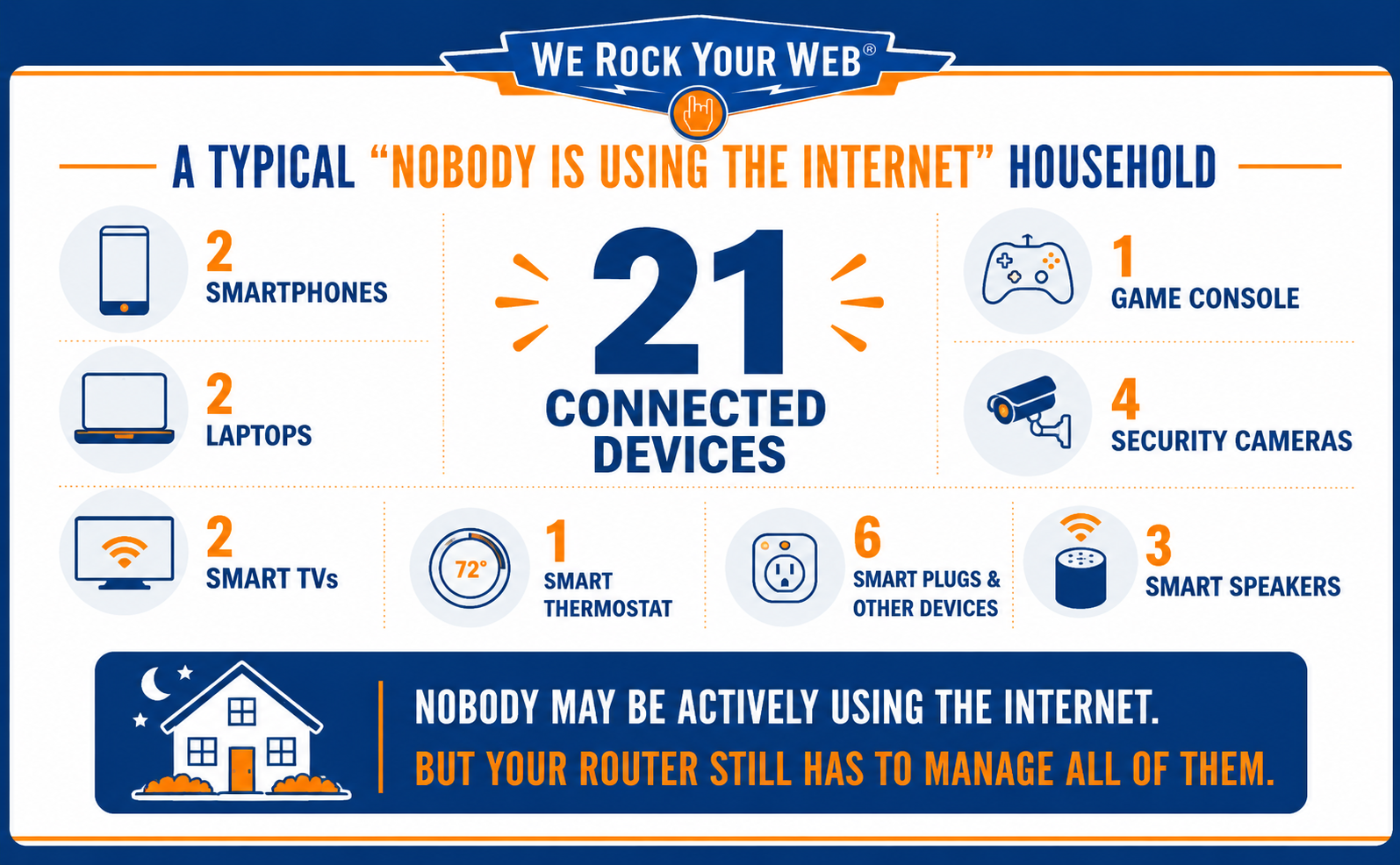
There’s another possibility that catches a lot of people by surprise: You may simply have too many devices connected to your network.
Not because any single device is causing problems, but because all of them are.
The Device Count Explosion
A decade ago, the average router might have been managing a couple of computers, a few phones, and maybe a gaming console. Today’s homes are very different.
Many households now have smart TVs, streaming sticks, security cameras, speakers, thermostats, tablets, laptops, phones, printers, smart plugs, video doorbells, appliances, and gaming systems all connected at the same time.
Individually, most don’t use much bandwidth. Collectively, they create a much busier network than many routers were originally designed to handle.
When Too Many Devices Become The Problem
The challenge isn’t usually bandwidth. It’s management.
Every connected device needs attention from the router. Every device checks in, maintains a connection, sends requests, receives updates, and competes for wireless airtime.
As device counts climb, some routers start struggling to keep everything organized efficiently.
The result can look a lot like slow internet:
- Longer loading times
- Random buffering
- Devices dropping off Wi-Fi
- Slower performance during busy periods
Best Fix
- Review the list of connected devices in your router or ISP app.
- Remove old devices you no longer use.
- Disconnect guest devices that no longer need access.
- Restart devices that frequently disconnect and reconnect.
- Consider upgrading your router if your household has dozens of connected devices.
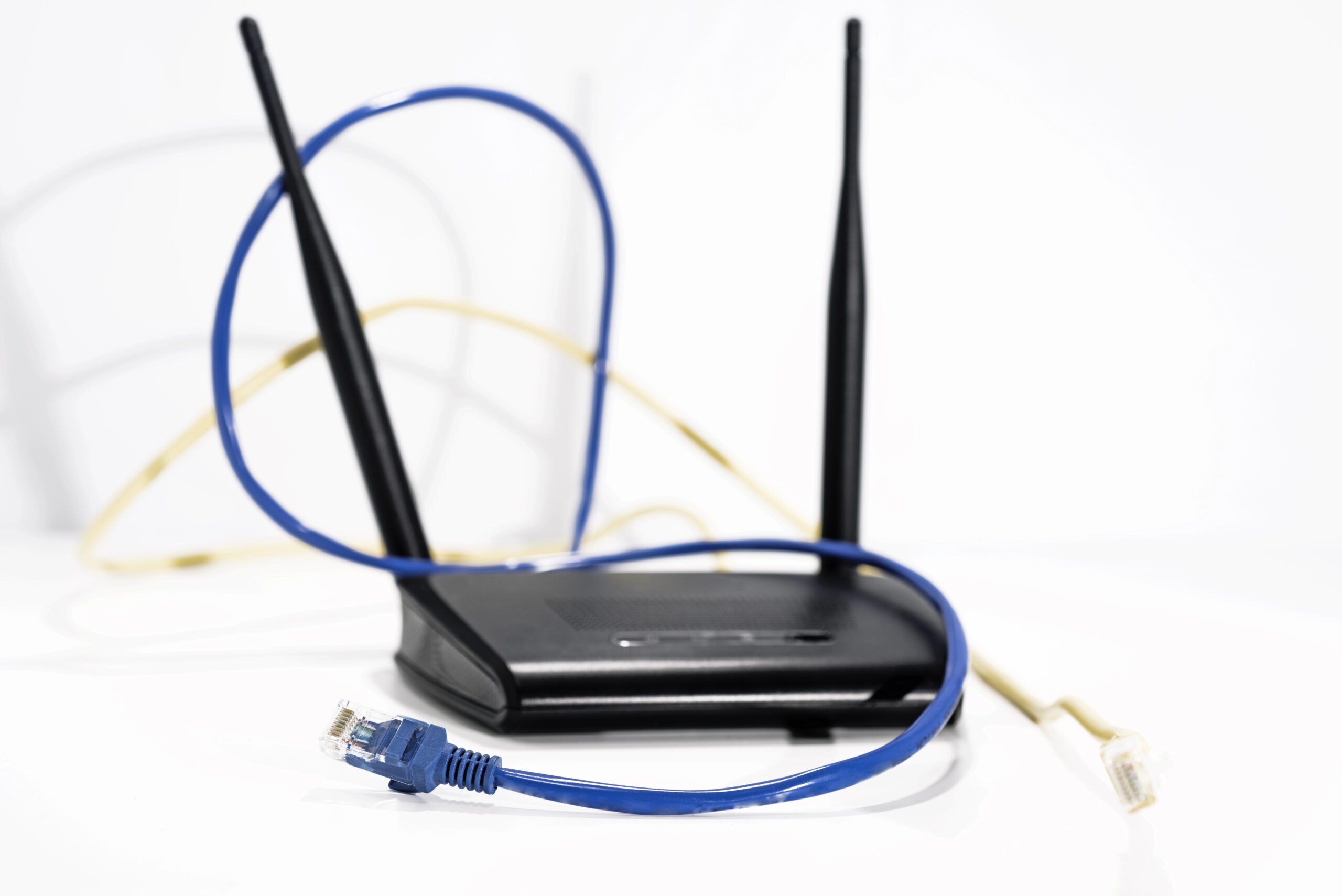
Reason #6: Your Router May Simply Be Exhausted
Most people treat their router like a kitchen appliance. You plug it in, stick it on a shelf, and expect it to work flawlessly for years.
The reality is that your router is a small computer that never gets a day off.
Every minute of every day, it’s managing devices, routing traffic, maintaining wireless connections, and deciding where every piece of internet data needs to go.
After weeks or months of doing that nonstop, things can start to get messy.
Why Restarting Actually Works
There’s a reason “Have you tried turning it off and back on again?” has survived for decades.
Over time, routers can accumulate temporary errors, overloaded memory, stuck processes, and connection issues that gradually affect performance.
Most people don’t notice those problems building up until websites start loading more slowly, videos buffer more often, or devices begin losing their connection.
Restarting the router clears out many of those temporary issues and allows it to start fresh. That’s why a simple reboot can sometimes make your internet feel dramatically faster.
The Router Age Reality Check
Except, sometimes the problem isn’t temporary. It’s age.
The average home network today is far more demanding than it was 5 or 10years ago.
A router that worked perfectly when it was new may struggle to keep up with dozens of connected devices, streaming services, video calls, cloud backups, and smart-home gadgets.
| Router Age | What To Expect |
|---|---|
| Under 3 years old | Usually fine |
| 3–5 years old | Worth monitoring |
| 5+ years old | Replacement may significantly improve performance |
If your router is more than 5 years old, it’s worth checking the model number before upgrading your internet plan. Many people pay for faster service when the real bottleneck is hardware that was designed for a much smaller, less connected household.
Age alone doesn’t guarantee problems, but older routers are much more likely to become a bottleneck.
Signs Your Router May Be The Problem
Some clues show up again and again:
- Restarting temporarily fixes the issue.
- Internet speeds gradually get worse over time.
- Devices randomly disconnect from Wi-Fi.
- Performance varies wildly from day to day.
- Everything improves for a few hours after a reboot.
If several of those sound familiar, your router deserves a closer look.
Best Fix
- Perform a full router restart once a month.
- Unplug the power cable for at least 30 seconds before reconnecting it.
- Check for firmware updates in your router settings.
- Consider replacing routers that are more than five to seven years old.
Your 5-Minute Slow Internet Audit
Before you assume you need a faster internet plan—or spend an hour troubleshooting random settings—run through these quick checks.
In just a few minutes, you can eliminate most of the common causes of slow internet.
1. Restart Your Router
Unplug the router’s power cable, wait 30 seconds, and plug it back in.
If speeds improve immediately, the router may have been the bottleneck.
2. Try Another Device
Open the same website on a different phone, tablet, or computer.
If one device feels slow while everything else works normally, the problem is probably the device—not your internet connection.
3. Close Extra Tabs And Background Apps
Shut down browser tabs you aren’t using and close apps running in the background.
If performance improves right away, your device may have been overloaded.
4. Pause Cloud Syncing
Temporarily pause services like iCloud, Google Drive, OneDrive, or Dropbox.
If speeds suddenly return to normal, background syncing was likely consuming bandwidth.
5. Move Closer To The Router
Test your connection from the same room as the router.
If things improve significantly, Wi-Fi interference or signal obstacles are probably involved.
6. Check Connected Devices
Open your router or ISP app and review the list of connected devices.
You may discover old phones, tablets, streaming devices, or smart-home gadgets that no longer need access.
7. Run A Speed Test
Run a speed test during the day and then again when things feel slow.
Large differences between the two can point to neighborhood congestion or provider-side issues.
Most slow internet problems aren’t caused by buying the wrong plan.
More often, they’re caused by a specific bottleneck somewhere between your device, your Wi-Fi signal, your router, or your internet provider. Finding that bottleneck is usually much easier—and cheaper—than upgrading your service.
Frequently Asked Questions
If your internet still seems mysteriously slow, these are some of the questions we hear most often. And if you’re dealing with a particularly strange issue, feel free to ask in the comments.
How Many Devices Is Too Many For One Router?
There isn’t a magic number because it depends on the router and what those devices are doing.
Twenty connected devices might be no problem for a modern router. Twenty devices streaming 4K video at the same time is a different story entirely.
As a general rule, if your home has accumulated dozens of smart devices over the years and your router is more than a few years old, it’s worth taking a closer look at whether the hardware is keeping up.
Is It Better To Rent Or Buy Your Own Router?
Many internet providers rent routers for a monthly fee.
If you’re planning to stay with the same provider for several years, buying your own router can often save money while giving you more control over performance and features.
Just make sure any router you purchase is compatible with your provider and internet speed tier.
Does Faster Internet Actually Fix Slow Internet?
Sometimes. If you’re consistently maxing out your connection, upgrading your plan can absolutely help.
The problem is that many people upgrade before figuring out what’s causing the slowdown in the first place. If the real issue is Wi-Fi interference, an aging router, or a struggling laptop, paying for more speed may not change much at all.
Should I Leave My Router On All The Time?
Yes. Routers are designed to run continuously.
That said, an occasional restart can help clear temporary glitches and connection issues. Many people find that rebooting their router once a month helps keep things running smoothly.
Do Wi-Fi Extenders Actually Work?
They can, but they’re not always the best solution.
Extenders are most useful when you have a strong signal in one area of the house and a weak signal in another. If the entire network is slow, however, an extender won’t magically create more internet speed.
In larger homes, a mesh Wi-Fi system is often a more effective long-term solution.
Is Fiber Internet Affected By Neighborhood Congestion?
It can be, but generally less than traditional cable internet.
Fiber networks usually have significantly more capacity available, which helps reduce slowdowns during busy evening hours. That’s one reason fiber connections often feel more consistent throughout the day.
Still Fighting Slow Tech? Read These Next
A slow internet connection is frustrating, but it’s often just one piece of a bigger tech puzzle. If your Wi-Fi, devices, or smart home setup still seems determined to test your patience, these guides can help you track down the next likely culprit:
- Why Your Wi-Fi Keeps Dropping And How To Fix It
- Why Your Computer Suddenly Feels Slow
- Why Your Phone Suddenly Feels Like It’s Working Against You
- Why Your Fast Internet Crawls Every Night
- Why Your Smart Home Setup Suddenly Starts Acting Dumb
What turned out to be slowing down your internet? A forgotten tablet? A smart device you didn’t know was still connected? Forty-seven browser tabs you’ve been emotionally attached to since last Tuesday?
Share your culprit in the comments, and if this article helped solve the mystery, send it to the person in your family who always blames their ISP’s Wi-Fi first.