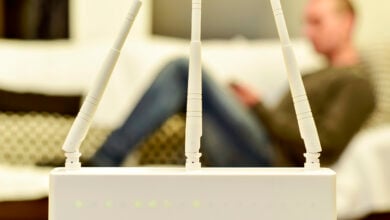
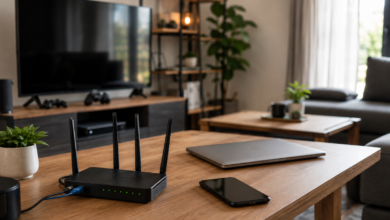
It’s 8:30 PM. You’ve finally collapsed onto the couch, snacks in hand, fully committed to doing absolutely nothing productive for the rest of the night. You open Netflix and immediately get hit with the dreaded spinning gray buffer wheel.
It makes no sense. This morning, your internet was flying, your Zoom calls were clear, and files downloaded in seconds. Everything worked exactly the way it was supposed to.
Now suddenly, your show won’t load, your video quality looks suspiciously like 2009 YouTube, and every device in the house feels weirdly sluggish at the exact same time.
So, what changed? Is your internet service provider (ISP) messing with you? Is your neighborhood overloaded? Or did your Wi-Fi just decide it’s done trying after 8 PM?
You aren’t imagining it, and you’re definitely not alone. Here’s why your internet gets dramatically worse at night — and what you can actually do about it.
Want our human-written content to rank above AI-generated garbage? Help us out by clicking this button!

Reason #1: The “Digital Rush Hour”
Think of your internet connection like a major highway.
At 10:00 AM on a Tuesday, the road is wide open. You can cruise along without a brake light in sight. That’s your daytime internet: emails send, Zoom calls behave, files download, and everything feels faster because fewer people are trying to use the same road at once.
Then, evening hits. Around 7:00 PM, the entire neighborhood merges onto that same digital highway.
Suddenly, the road that felt wide open this morning is bumper-to-bumper.
The 7:00 PM to 11:00 PM Surge
This is what providers often call peak evening usage — the stretch of the night when internet traffic spikes dramatically.
During these hours, the collective behavior of your neighborhood completely shifts. People aren’t casually checking email anymore; they’re suddenly doing some of the most bandwidth-heavy things possible all at once.
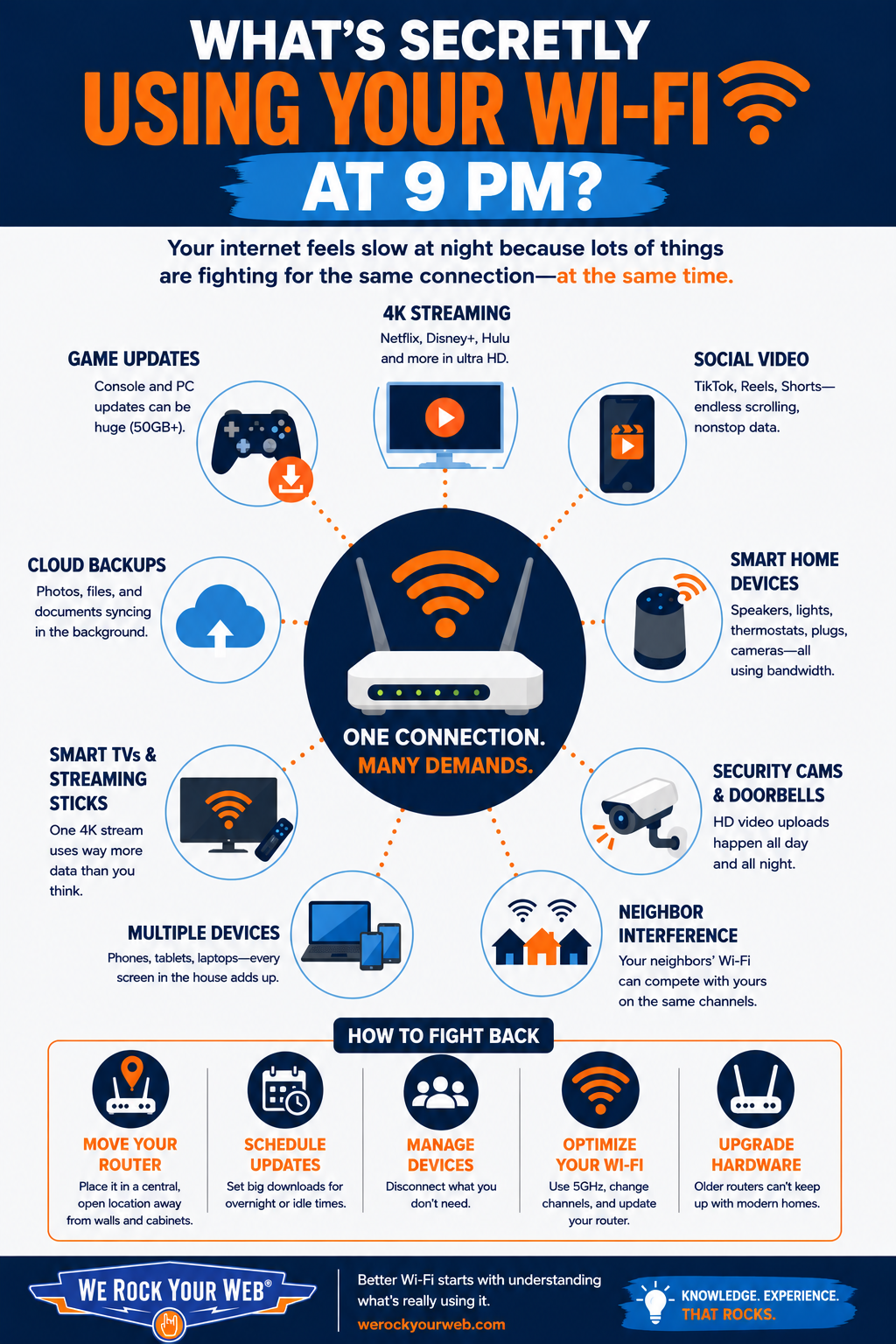
- 4K Streaming: Services like Netflix and Disney+ use huge amounts of data to deliver ultra-high-definition video.
- Online Gaming: Games like Fortnite, Call of Duty, and Roblox rely on a constant stream of data to avoid lag, disconnects, and angry yelling from another room.
- Social Video: Scrolling TikTok or Instagram Reels is basically like streaming hundreds of tiny videos back-to-back for hours.
Why the Infrastructure Struggles
One thing many people don’t realize is that most residential internet services run on shared infrastructure. Whether you have cable or even fiber, you are likely connected to a local node — a central hub that feeds your entire street or apartment complex.
When you’re the only one online, you have that hub’s full attention. But when every house on the block is streaming in 4K at the same time, the pipeline fills up.
Your data has to wait its turn, leading to and pixelated screens. You’re essentially stuck in a neighborhood-wide traffic jam, and there’s no fast lane once peak hours hit.

Reason #2: The Enemy Inside the House (Too Many Devices)
Sometimes the digital traffic jam isn’t out on the street; it’s right in your home.
During the day, your home internet might only be juggling a couple of laptops and a phone or two. But at night, the household headcount explodes. Everybody starts scrolling, streaming, uploading, downloading, syncing, or doing all four at once.
The Hidden Bandwidth Hogs
Think about everything that connects to your Wi-Fi once the whole family is home:
- Smartphones
Endless auto-play videos add up fast, especially when multiple people are simultaneously trapped in the TikTok/Reels/YouTube Shorts vortex. - Gaming Consoles
Modern games are enormous, and consoles love quietly downloading giant updates the second someone powers them on. Your teenager might be downloading a massive 50GB game update in the background while you try to watch TV. - Smart TVs & Streaming Sticks
A single 4K stream can use far more data than casual browsing ever will. Two or three TVs streaming at once changes the equation quickly.
But another issue is how many connected devices people forget about entirely.
The average American household now has between 15 and 20 connected devices. While you might only be using one or two of them at 8:00 PM, the other 18 aren’t exactly sleeping.

The “Smart” Saboteurs
It’s easy to remember your laptop and your phone. It’s much harder to remember the gadgets that fade into the background of your home.
- Security Cameras & Video Doorbells
A high-def doorbell camera (like a Nest or Ring) is constantly uploading tiny packets of data to the cloud or streaming a live view to a server. - Smart Speakers & Home Hubs
Devices like Alexa or Google Home are constantly “listening” for their wake word. This requires a steady, low-level heartbeat connection to the internet. - Smart Fixtures & Appliances
Your Wi-Fi-enabled thermostat, robot vacuum, fridge, washer, and even your smart lightbulbs are all occupying a seat at the table.
Individually, many of these devices don’t use much bandwidth. Collectively with all other online activity?
It’s basically death by a thousand cuts. One person casually scrolling Instagram isn’t a problem. Five people doing completely different internet-heavy activities at the exact same time absolutely can be.
Your router ends up trying to manage dozens of conversations simultaneously, and eventually the whole thing starts feeling sluggish.
The “Wait, That Counts Too?” Audit
Walk through your house tonight and count every single thing that connects to the internet.
- [ ] Smartphones
- [ ] Tablets & E-readers
- [ ] Smart TVs & streaming sticks
- [ ] Gaming consoles
- [ ] Smart home hubs & speakers
- [ ] Security cameras & doorbells
- [ ] Laptops, desktop PCs & printers
- [ ] Wearables (smartwatches & fitness trackers)
- [ ] Smart bulbs
- [ ] Thermostats, robot vacuums, etc.
- [ ] Connected Appliances (ovens, fridges, dishwasher, etc.)
The Fix: If your count is over 15, it’s time to stop blaming your ISP and start streamlining your home network.
Reason #3: The “Ghost Leech” (Invisible Late-Night Updates)
While you’re trying to relax, your devices are often working overtime behind your back.
Many developers and manufacturers schedule their biggest downloads, updates, syncs, and backups for the evening or late-night hours — specifically because that’s when they assume you’re no longer actively working.
The Scheduled Update Surge
If your internet tanks in the evening, there’s a good chance one of your devices decided it was the perfect time to start a massive background task.
Operating System Updates
Windows and macOS regularly download multi-gigabyte patches in the background. If you haven’t adjusted your settings, your computer may decide that 9:00 PM is the perfect time to grab that latest 5GB security update.
Game Patches
Modern consoles like the PS5 or Xbox Series X are notorious for this. A single “hotfix” for a game like Call of Duty can be larger than an entire movie, and these consoles are designed to download them the second they go live.
Cloud Backups
Services like iCloud, Google Photos, and Dropbox often wait until your device is idle and charging to upload your day’s photos and videos to the cloud. This upload process can significantly slow your download speed.
Uploads can be surprisingly brutal on home internet connections.
Most people focus entirely on download speed, but heavy uploads can clog things, too, especially on cable internet, where upload bandwidth is often much more limited than download bandwidth.
That’s why your streaming quality can suddenly crater because somebody’s phone quietly decided tonight was the night to upload 4,000 photos and 37 videos to the cloud.
The Most Common “Invisible” Internet Killers At Night
- Someone’s phone backing up thousands of photos to iCloud
- A PlayStation quietly downloading a 60GB update
- Three TVs streaming in 4K simultaneously
- An old tablet waking up for app updates
- Security cameras constantly uploading footage
- A router trapped behind a TV cabinet slowly overheating
- 20 smart home devices quietly fighting for airtime
- Your neighbor’s Wi-Fi blasting the same wireless channel as yours
Reason #4: When Nearby Wi-Fi Starts Colliding With Yours
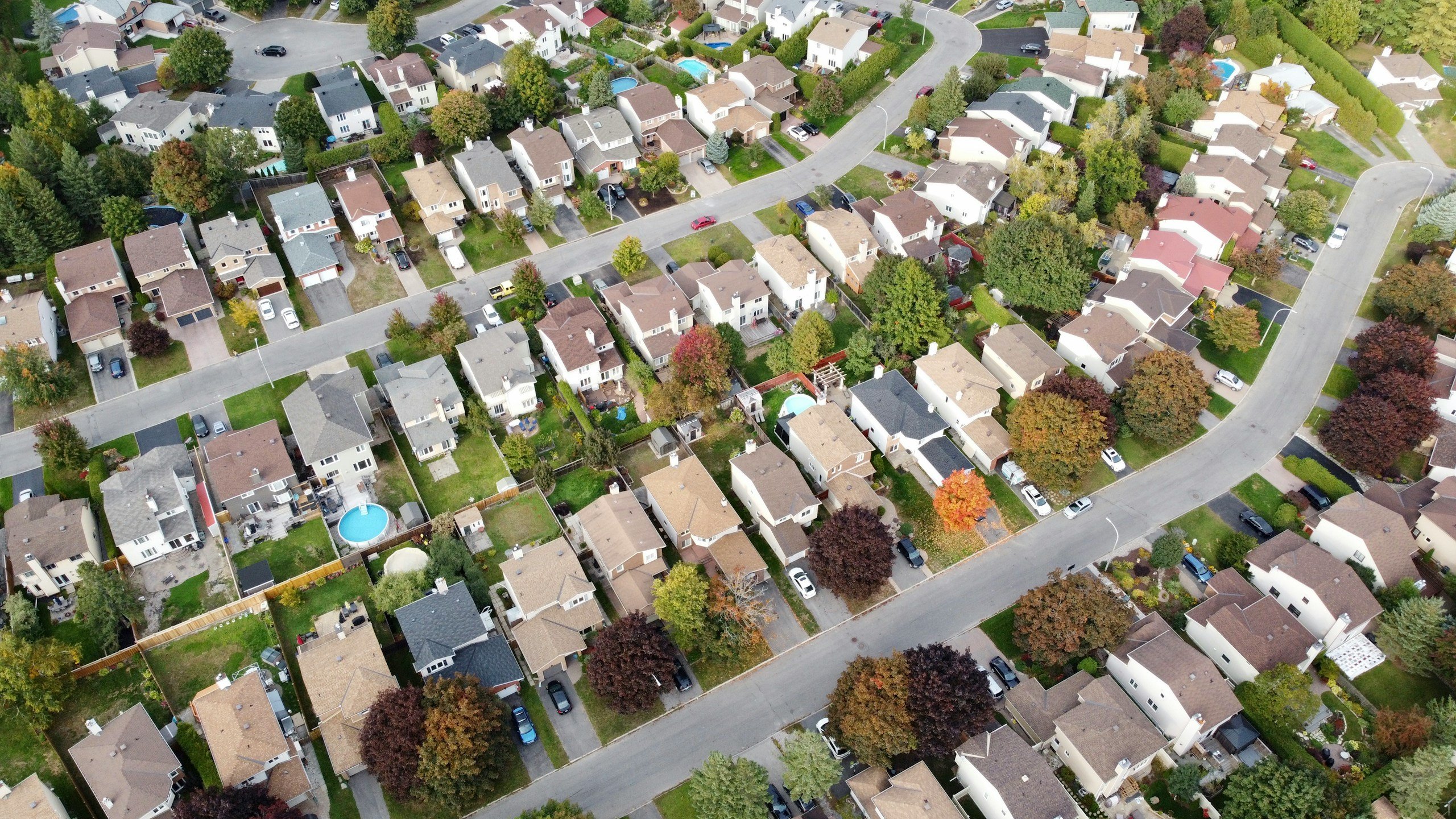
If you live in an apartment, condo, dorm, townhouse, or tightly packed suburban neighborhood, your physical environment may be working against your Wi-Fi every night.
And unlike the “digital rush hour” problem, this one isn’t necessarily about internet demand. It’s about signal interference.
Wi-Fi travels through the air using radio frequencies, primarily the 2.4 GHz and 5 GHz bands. Think of these like wireless lanes your router uses to communicate with your devices.
The problem? There are only a limited number of channels available within these lanes.
The Evening Crowding
During the day, many nearby networks are relatively quiet. People are at work, devices are idle, and there’s less wireless chatter competing for space.
At night, dozens of routers in your immediate vicinity roar to life. And your Wi-Fi signal has to fight through all that noise just to reach your phone, TV, or laptop.
Frequency Interference
If your neighbor’s router is broadcasting on the same wireless channel as yours, the signals can overlap and interfere with each other.
Your router can still function, but it often has to retry transmissions, slow down communication, and work harder to push data through the congestion.
The Microwave & Electronics Problem
It’s not just other routers creating interference.
Many common household items share the 2.4 GHz frequency. Baby monitors, cordless phones, Bluetooth devices, and even microwave ovens can create “electronic smog.”
Because more people are cooking dinner and using these gadgets in the evening, your Wi-Fi signal has to punch through more interference just to stay connected.
If you see that your signal bars are full but your speed is still crawling, you aren’t lacking a signal; you’re dealing with signal congestion.
Reason #5: Router Exhaustion (Hardware Under Pressure)
Your router is basically a tiny computer that never gets a break.
It has a processor, memory, and the constant job of managing every phone, TV, gaming console, laptop, smart speaker, camera, and random internet-connected appliance in your house.
During the day, that workload is usually manageable. But at night, when the whole family starts demanding high-def data, that hardware starts to sweat.
When multiple people are streaming, gaming, and scrolling simultaneously, your router has to juggle thousands of data packets every second. Even a decent router can start struggling to keep up.
Router Placement & Age Make a Difference
If your router is older, buried inside a cabinet, sitting behind a TV, or covered in dust, the problem gets worse fast. Routers generate heat under heavy workloads, especially during peak evening hours.
If the device can’t properly cool itself, performance may start dropping as the hardware struggles to keep up. That’s one reason internet slowdowns sometimes seem to appear out of nowhere at night.
Older routers (especially those more than 3 or 4 years old) usually aren’t built to handle the modern bandwidth demands:
- Multiple 4K streams
- Online gaming
- Dozens of connected devices
- Constant background syncing
- Smart home traffic
If your internet feels fine with one person online but suddenly collapses when multiple people start using it simultaneously, your router may be the culprit.

The Old Device Problem
Sometimes the slowdown isn’t even coming from your newest devices.
Older tablets, aging laptops, first-generation smart home gadgets, and cheap off-brand electronics often use older Wi-Fi standards that communicate far less efficiently with modern routers.
That doesn’t mean one ancient Kindle instantly destroys your entire network. But older devices can slow down wireless communication and create extra congestion — especially on crowded 2.4GHz networks.
And yes, the old tablet sitting in a drawer that only gets used occasionally can absolutely become part of the problem the second somebody powers it back on.
Reason #6: ISP Throttling (The “Hidden” Speed Limit)
Sometimes, the slowdown isn’t coming from your house or your neighbors — it’s coming directly from your ISP.
What is “Throttling”?
Think of throttling like selective slowing.
Instead of your entire internet connection slowing down, certain activities may be deprioritized during busy hours, especially bandwidth-intensive services like video streaming.
That’s why you can sometimes browse websites normally, scroll social media without issues, and run a decent speed test while Netflix suddenly looks like it was filmed through a potato.
Internet providers usually don’t advertise this as “throttling.” You’re more likely to see terms like “network management,” “traffic prioritization,” or “deprioritization during congestion” buried somewhere deep inside the service agreement nobody actually reads.
Heavy Users & Streaming Traffic
Streaming video is one of the biggest bandwidth drains on the modern internet, which makes it a common target for traffic management during peak evening hours.
Some providers may also temporarily deprioritize unusually heavy data users when networks get congested.
The tricky part is that this can look completely different from normal Wi-Fi problems. Your signal bars may look perfect, your router may be functioning normally, and some websites may still load quickly.
But the moment you try to stream video, everything falls apart.
Things People Blame That Usually Aren’t The Real Problem
- “Too many tabs open”
- “The weather”
- “The modem needs to rest”
- “Somebody nearby is stealing my Wi-Fi”
- “The internet company is targeting me personally”
Quick Diagnostic: Is it Your House or Their Network?
Before you start rage-searching “best internet providers near me,” it helps to figure out where the slowdown is actually happening because the fix for a congested Wi-Fi signal is very different from the fix for an overloaded neighborhood network.
Use this quick 3-step audit to find the source of the lag.
1. The Hardwire Test
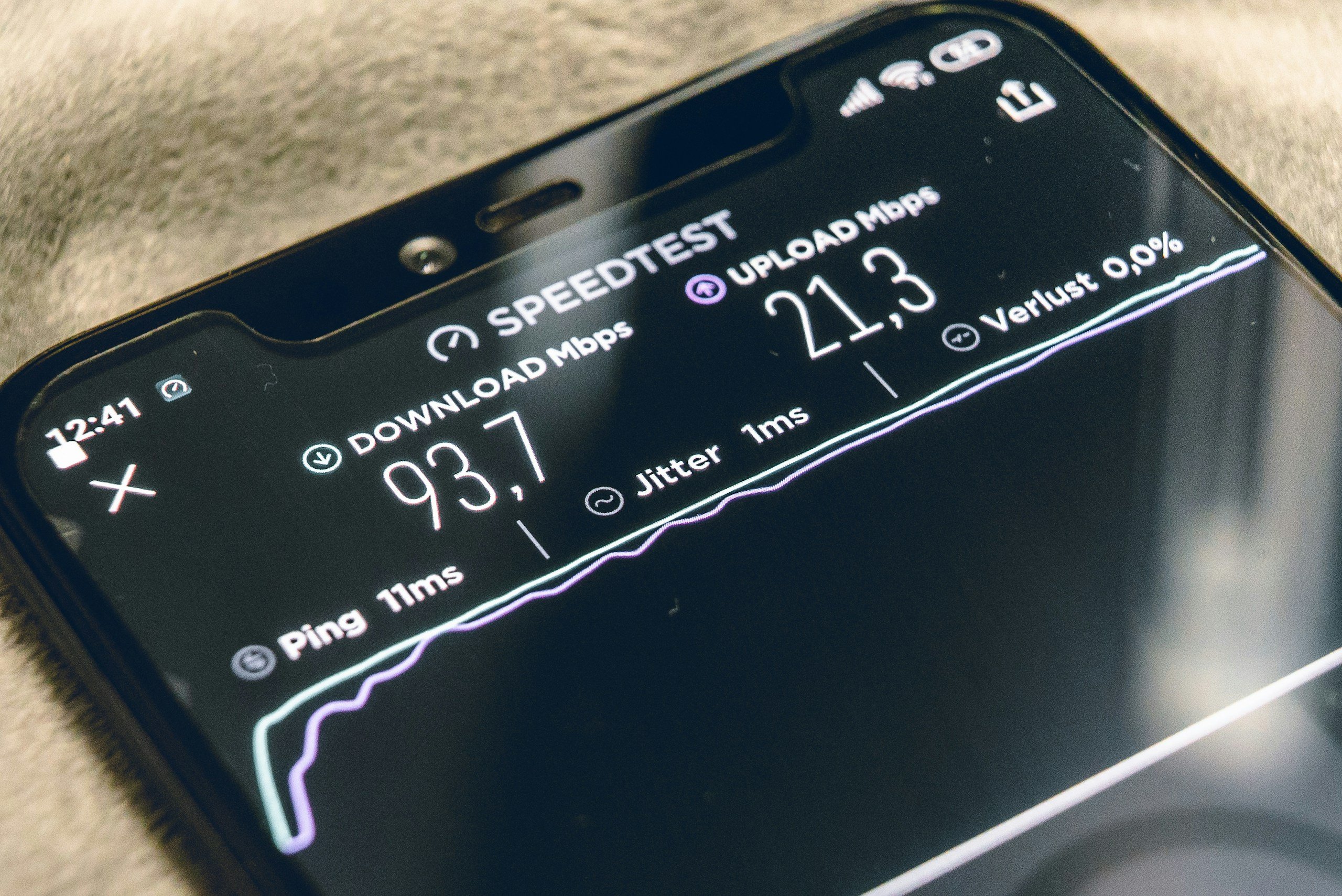
The fastest way to rule out Wi-Fi problems is to bypass Wi-Fi completely. Plug a laptop directly into your router with an Ethernet cable and run a speed test.
If the wired connection feels fast while your Wi-Fi still crawls, the problem is probably:
- Wireless interference
- Router placement
- Router limitations
- Crowded airwaves inside your home
If both wired and wireless speeds are equally slow, the issue is more likely coming from your provider or broader network congestion.
2. Compare Morning vs. Night Speeds
Run one speed test during the morning or early afternoon. Then run another around 8:00 PM or 9:00 PM, when your internet normally feels slowest.
If your evening speeds consistently fall far below your daytime speeds, there’s a good chance you’re dealing with:
- Peak-hour congestion
- ISP traffic management
- Overloaded neighborhood infrastructure
And if streaming performance specifically collapses at night while basic browsing still works relatively fine, throttling becomes a stronger possibility.
3. The Device Count
Log in to your router’s app or settings page and see how many devices are actually connected. You might be surprised to find 15+ devices all sipping on your bandwidth at once.
How to Fix It: Simple Tweaks to Reclaim Your Speed
You don’t have to accept a sluggish connection as part of your nightly routine. While you can’t control your neighbors, you can control your environment. Here are the most effective ways to boost your speed when the evening slump hits.
1. Move High-Demand Devices to the 5GHz Band
Most modern routers are “Dual-Band,” meaning they broadcast two different signals: 2.4 GHz and 5 GHz.
The 2.4 GHz band has a longer range, but it’s also far more crowded and vulnerable to interference from neighboring routers and household electronics.
The Fix: Manually connect your high-demand devices (like your Smart TV or gaming console) to the 5 GHz band. It’s much faster and handles neighborhood interference far better.
And if your router supports Wi-Fi 6E or Wi-Fi 7, the newer 6GHz band can provide an even less crowded connection for compatible devices.
2. Reschedule Your “Ghost” Downloads
Don’t let your computer decide when to update. Take five minutes to audit your settings:
- Set updates
Tell Windows or macOS to only download updates between 2:00 AM and 6:00 AM. - Pause cloud sync
If you’ve been taking photos all day, manually pause your iCloud or Google Photos backup until you head to bed. - Disable automatic console downloads
Keep your PlayStation or Xbox from automatically downloading large game updates the moment they become available.
3. Optimize Your Router’s Physical Location
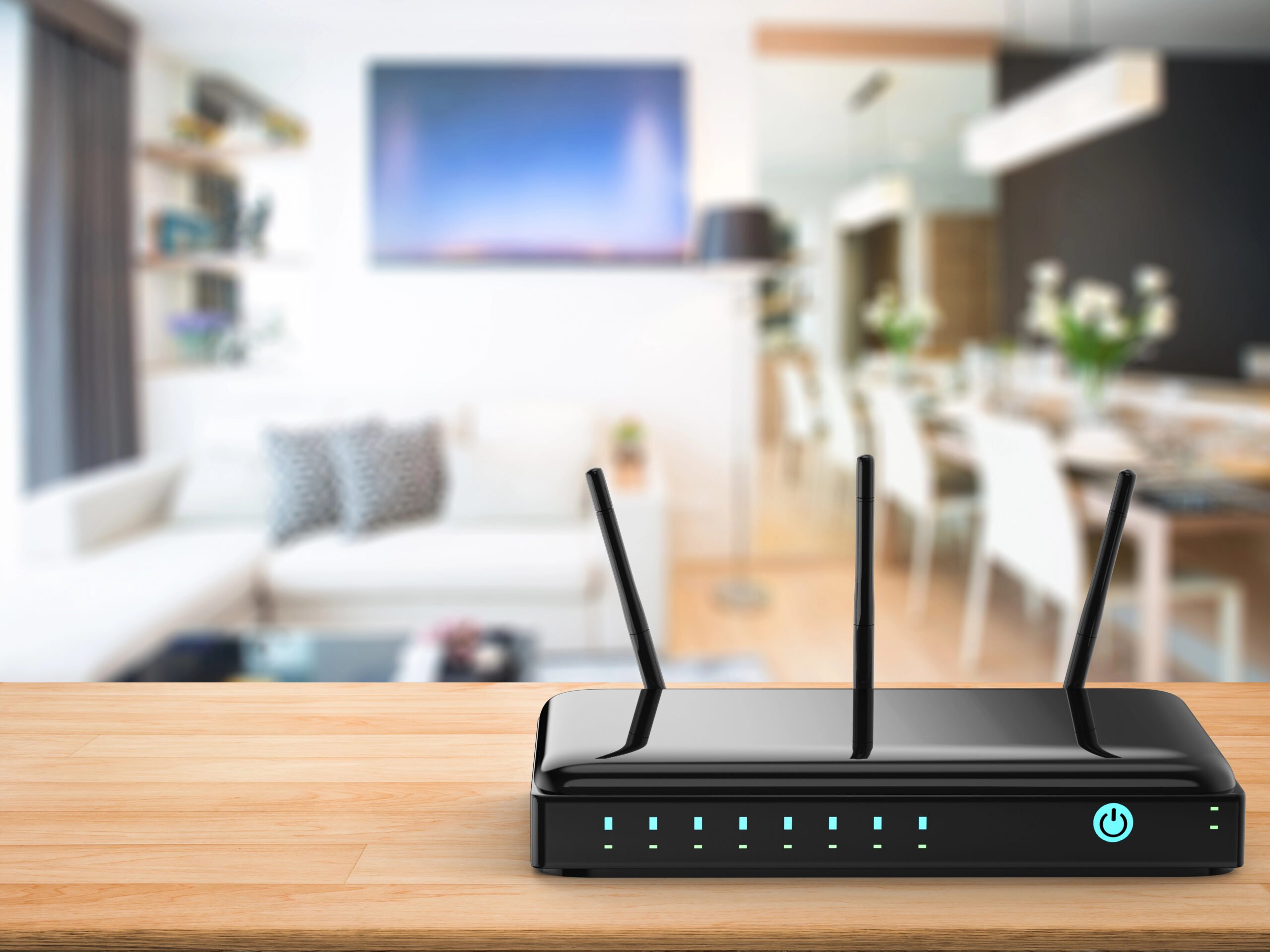
People hide routers in terrible places — inside cabinets, behind TVs, on the floor, or stuffed into corners.
But Wi-Fi signals are delicate, and they hate walls, mirrors, and metal appliances.
For better performance:
- Center it: Move your router to the most central room in the house.
- Elevate it: Get it off the floor. Placing it on a shelf or a high table allows the signal to radiate downward and outward with fewer obstructions.
- Clear the Cabinets: Never hide your router inside a media console or behind a TV. The heat buildup and physical barrier will choke your performance under heavy night-time loads.
4. The “Pro-Level” Move: Use Ethernet for the Big Stuff
If you want a guaranteed fix for buffering on your main TV or gaming console, stop relying on Wi-Fi.
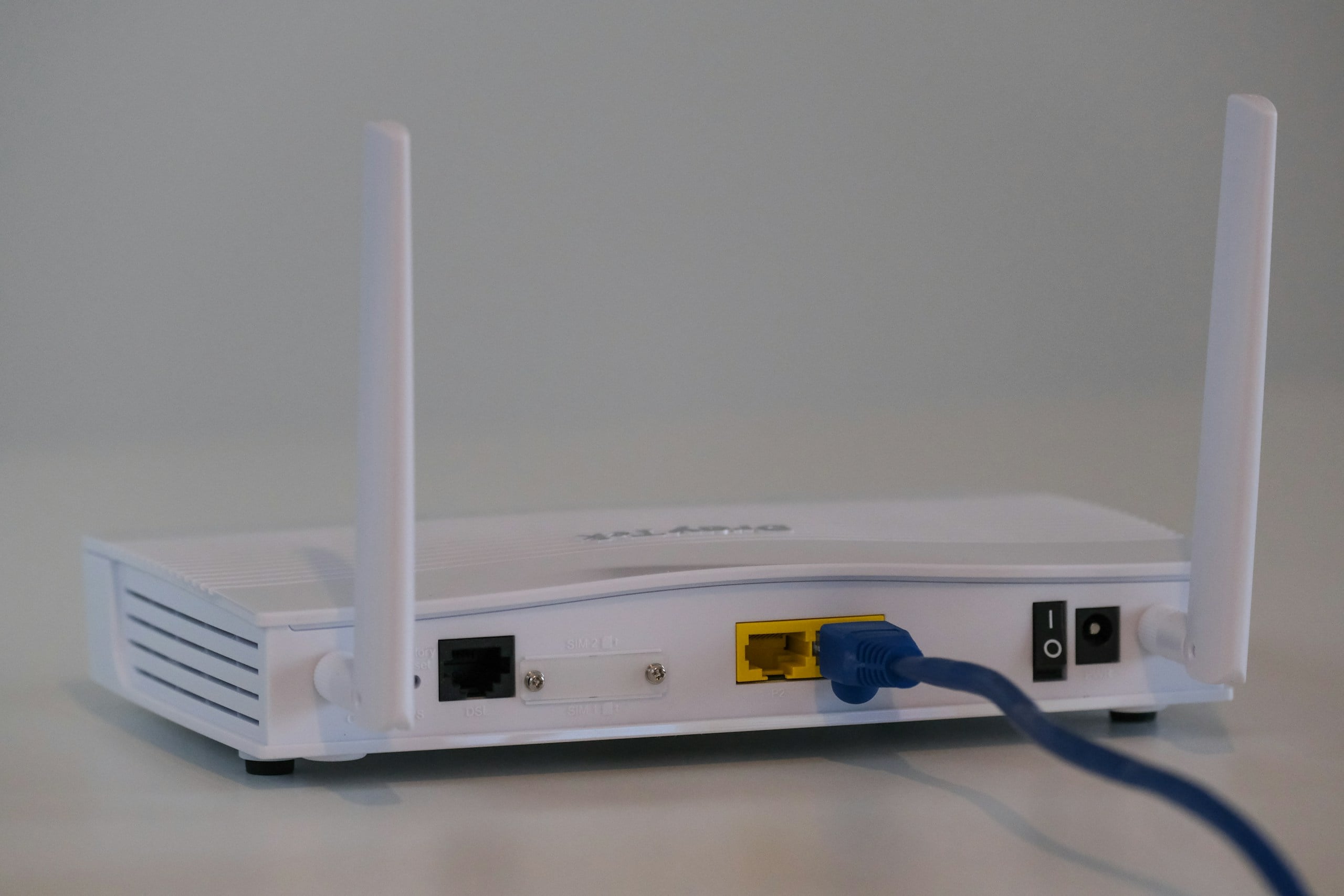
Run an Ethernet cable from your router directly to your Smart TV, PlayStation, or Xbox. By hardwiring the biggest data users, you free up more wireless airtime for your phones and tablets, making the whole house feel faster.
5. Update Your Router’s Firmware
Most people update their phones or laptops constantly, but completely forget their router exists.
Router manufacturers regularly release firmware updates that improve:
- Performance
- Stability
- Device handling
- Security
- Compatibility with newer devices
An outdated router firmware version can absolutely contribute to weird slowdowns and unstable connections. And unlike hardware replacements, this fix is free.
Is It Time for a New Router?
If you’ve tried moving your router, pausing your backups, and kicking old devices off the network, but your evening internet still feels stuck in 2015, you might be hitting a hardware ceiling.
The way we use the internet has shifted. We aren’t just browsing anymore; we are living in a multi-gigabit world. If your router was bought before 2022, it was likely designed for a different era of the web.
When A Newer Router Actually Helps
The biggest improvement with newer Wi-Fi standards isn’t just raw speed. It’s capacity.
Modern routers are dramatically better at handling:
- Large numbers of connected devices
- Simultaneous streaming
- Smart home traffic
- Crowded wireless environments
- Multiple heavy users at once
That’s why upgrading from an older Wi-Fi 5 router to a newer Wi-Fi 6 or Wi-Fi 6E model can sometimes make an entire house feel more stable, even if your internet plan itself hasn’t changed.
Think of the old Wi-Fi 5 standard like a waiter who can only talk to one person at a table at a time. Everyone else has to wait in silence. But Wi-Fi 6+ is like a waiter who can take orders from multiple diners simultaneously.
Wi-Fi 6 vs. 6E vs. Wi-Fi 7
Wi-Fi 6 is a major upgrade over older hardware. It handles busy households far more efficiently and generally performs better when many devices compete for attention at the same time.
Wi-Fi 6E adds access to the newer 6GHz band, which is often much less crowded than traditional 2.4GHz and 5GHz networks. That can help significantly in apartments, condos, and dense neighborhoods where wireless interference is a constant problem.
And yes, Wi-Fi 7 is starting to appear everywhere in 2026. It’s faster, more advanced, and excellent for extremely busy households with tons of connected devices.
But for most people, upgrading from an aging router to a solid Wi-Fi 6 or 6E setup will already feel like a massive improvement. You don’t necessarily need the newest $700 “spaceship with antennas” router to fix evening slowdowns.
When A Mesh System Makes Sense
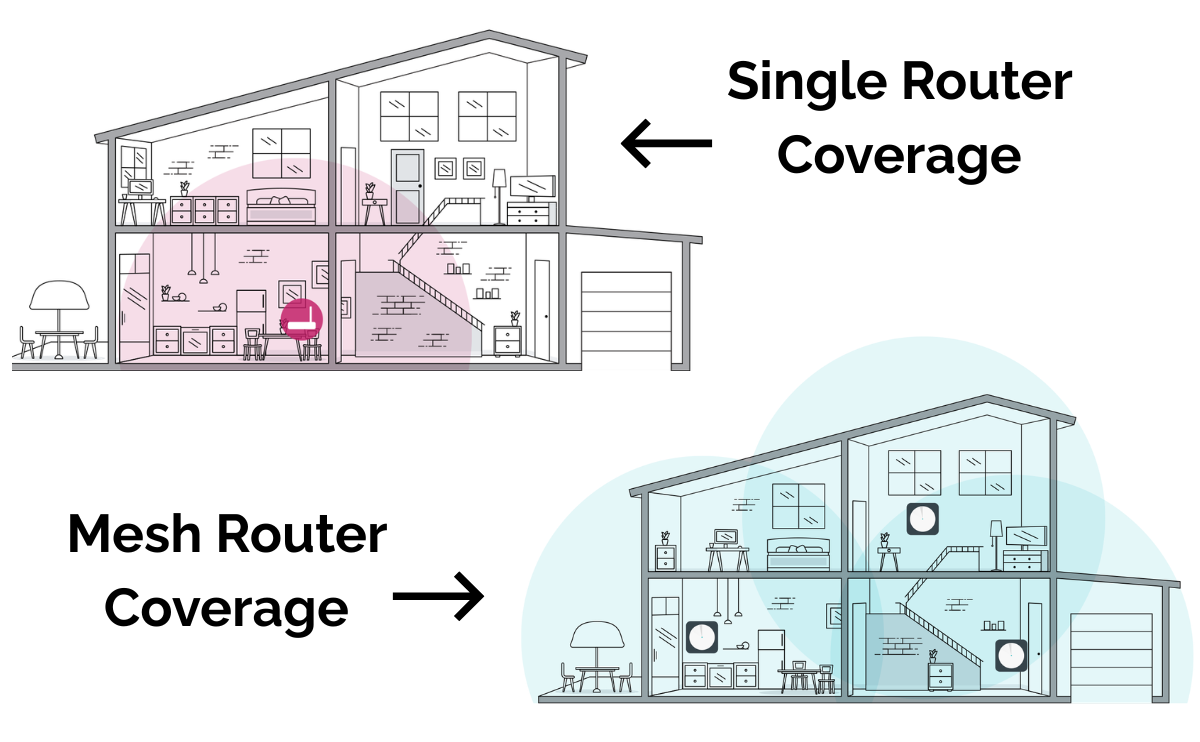
If your house has multiple floors, thick walls, long layouts, or dead zones, a mesh system is often a smarter upgrade than simply buying one more powerful router.
Mesh systems use multiple access points around the house to spread coverage more evenly, which helps eliminate weak-signal areas where devices constantly struggle to stay connected.
And in larger homes, that consistency matters more than chasing maximum advertised speeds on the side of a router box.
The Bottom Line
If your router is more than four or five years old and your household has grown into a small internet ecosystem of TVs, consoles, phones, tablets, cameras, speakers, and smart devices, upgrading your hardware can absolutely make a noticeable difference.
Just don’t expect a new router to magically fix every internet problem on earth.
If your provider is congested, your Wi-Fi environment is chaotic, or half your devices are secretly downloading updates all night, even the fanciest router still has limits.
Frequently Asked Questions
Even with the best tech in the world, home networking can still feel like a bit of a black box. Every house is built differently, and every neighborhood has its own digital quirks.
Below, we’ve rounded up the most common questions we hear from our readers about evening slowdowns. Don’t see your specific problem listed? Ask us in the comments.
Does Bad Weather At Night Affect My Internet?
If you have Satellite internet, yes—heavy rain or snow can block the signal. However, for cable and fiber users, “weather” usually isn’t the culprit. The reason it feels slower when it rains is simply that more people stay inside and stream movies, increasing network congestion!
Can My Neighbor “Steal” My Bandwidth?
No, unless they have your Wi-Fi password, they aren’t “stealing” your data. However, their Wi-Fi signal can interfere with yours. Make sure your network is password-protected with WPA3 encryption for your security.
Does My VPN Make Evening Slowdowns Better Or Worse?
Usually, a Virtual Private Network (VPN) will make your internet slightly slower because it adds a layer of encryption and sends your data through a middleman server.
However, there is one big exception: ISP Throttling. If your provider is specifically slowing down streaming video at night, a VPN hides what you are doing.
Because the ISP can’t see that you’re watching Netflix, they can’t “target” that traffic for a slowdown. If your speed improves when you turn on a VPN at 9:00 PM, you’ve caught your ISP throttling you.
My Speed Test Says I’m Getting 500 Mbps, So Why Is My Video Still Buffering?
This is a classic “Speed vs. Quality” issue. Most speed tests only measure burst speed—how fast you can grab a single file. But streaming and gaming require consistency (low Jitter).
At night, the “noise” from your neighbors’ Wi-Fi might not lower your total speed, but it can cause “packet loss,” where tiny bits of your movie get lost in the air. Your TV then has to stop and “re-ask” for those bits, leading to the dreaded buffer wheel, even though your “speed” looks fine.
Can My “Smart Home” Bulbs And Plugs Work Without Slowing Down My Wi-Fi?
Yes! If you are a smart home enthusiast, look for devices that use Matter, Zigbee, or Z-Wave instead of Wi-Fi. These devices communicate with a central hub (like an Amazon Echo or a dedicated bridge) rather than connecting directly to your router.
This keeps your Wi-Fi “airwaves” clear for the important stuff, like your laptop and your 4K TV, while your lightbulbs stay in their own lane.
When Your Internet Still Acts Possessed
If your internet still has a nightly meltdown after all this, the problem may be part of a bigger home tech pattern. Use these guides next:
- Why Your Wi-Fi Keeps Dropping And How To Fix It — for connections that cut in and out completely.
- Why Technology Works In One Room But Not Another — for weird room-by-room Wi-Fi problems.
- These Everyday Habits Are Slowing Down Your Devices — for background habits that quietly drag down phones, laptops, and tablets.
- Why Your Phone Suddenly Feels Like It’s Working Against You — if your “internet problem” might actually be your device acting up.
What time does your internet start falling apart at night? Have you found a trick that works for your home? Let us know in the comments below!