Picture this: It’s 3:00 PM. You’ve been glued to your office chair since breakfast, hunched over your laptop like a tech-savvy gargoyle. Your lower back is staging a full-blown protest, and your energy level is somewhere near the floor.
You’ve probably seen the ads. You’ve definitely heard that one coworker brag about theirs. And you can’t help but wonder: Does a standing desk actually make a difference, or is it just another expensive piece of office furniture destined to become a storage shelf?
A standing desk is not a magic fix, and standing all day is not automatically better than sitting all day. The real benefit is that it gives you more chances to change positions, move a little more, and avoid staying locked into the same posture for hours.
So what actually happens when you switch to a standing desk? Here’s what you may notice first, what can go wrong, and how to use one in a way that helps your workday instead of turning it into an endurance test.
The Reality Check: What Changes When You Stop Sitting All Day?
I came to standing desks from a practical place. I have a long-term degenerative back condition, so back pain is not something I expect to magically disappear. For me, the goal is management: finding ways to work long hours at a desk without making my body feel worse by the end of the day. An adjustable standing desk has become one of the tools that helps me do that.
That does not mean standing all day is the answer. In fact, I learned pretty quickly that the real benefit is not standing more, but being able to change positions before my back starts complaining.
What Actually Starts to Change
Most of us do not just “sit at work.”
By the time you add up commuting, desk work, meetings, dinner, and a little end-of-day TV, it is easy to spend most of your waking hours sitting down.
So when people ask whether a standing desk actually makes a difference, the better question might be: what happens when you finally stop keeping your body in the same position all day?
Human beings were not built to stay folded into a 90-degree angle for eight to ten hours at a time. When you sit for long stretches, your hips tighten, your shoulders creep forward, your back can start to feel stiff, and your energy often drops with it.
A standing desk does not magically fix all of that. But it does give you something most traditional desks do not: the option to change positions before your body starts begging you to.
And that is where the real benefits begin.
When you start using a standing desk, you are asking your body to wake up a little. Your legs, core, glutes, and back muscles all have to do small amounts of work to keep you upright. You may shift your weight, stretch more often, walk during calls, or notice stiffness sooner instead of staying frozen in a chair for hours.
But here is the part people often skip: going from sitting all day to standing for long stretches can be a shock. Standing desks can help, but only when you use them correctly.
Here is what people actually tend to notice when they make the switch.
4 Standing Desk Benefits You May Actually Notice
A standing desk is not a magic health upgrade, and it will not undo years of sitting overnight. But when it helps you change positions, move more often, and avoid long stretches in one posture, the benefits can be very real.
The key is using it as a sit-stand-move desk, not as a challenge to see how long you can stay on your feet.
1. You May Feel More Alert During the Day
One of the first things people often notice is that standing can make them feel a little more awake, especially during that classic afternoon slump.
When you stand, you are more likely to shift your weight, stretch, pace during calls, or step away from your screen for a quick reset. That extra movement can help you feel less sluggish than you might after sitting motionless for hours.
This does not mean standing will magically make you more productive or turn every workday into a focus marathon. But for many people, breaking up long sitting sessions makes the day feel less draining.
Mayo Clinic research has also found that active workstations can help people move more and think better at work without hurting job performance.
2. Your Back, Hips, and Shoulders May Feel Less Stiff
If you have ever stood up after a long work session and felt like your body needed a software update, you already understand this one.
Sitting for long stretches can leave your hips tight, your shoulders rounded, and your lower back cranky. A standing desk gives you more opportunities to change positions before that stiffness builds.
For people with back pain like myself, this can be especially helpful, not because a standing desk “fixes” back problems, but because it gives you more control. You can sit when you need support, stand when sitting starts to feel uncomfortable, and move before your body locks up.
The setup matters, though. Mayo Clinic’s ergonomics guidance emphasizes keeping your screen, chair, arm position, and workstation arranged in a way that reduces strain on your neck, shoulders, wrists, and back.
3. You Naturally Move More
This may be the most underrated benefit of a standing desk.
When you are already on your feet, movement becomes easier. You may start shifting your weight, stretching your calves, walking to refill your water, pacing during phone calls, or stepping away from your desk more often.
That matters because the real issue is not just sitting. It is staying still for too long.
Mayo Clinic recommends taking breaks from sitting, standing while talking on the phone, trying a standing desk, and walking during meetings when possible.
A standing desk makes those small movement breaks feel more natural.
4. It May Support Better Long-Term Habits
A standing desk probably will not cause dramatic weight loss on its own. That is one of the biggest overhyped claims.
Yes, standing burns slightly more energy than sitting, but the bigger benefit is behavioral: you are building a workday with more movement and fewer long sitting blocks.
That shift can support better daily habits over time. You may drink more water, take more short walks, stretch more often, or notice when your posture starts falling apart. Those small changes add up in a way that feels more realistic than expecting a desk to transform your health by itself.
Mayo Clinic notes that prolonged sitting is linked with higher risks, including obesity, metabolic syndrome, cardiovascular disease, and cancer, so reducing uninterrupted sitting time is a worthwhile goal.
The Unexpected Downsides: The Adjustment Phase
Here is what the glossy standing desk ads usually leave out:
Standing is work.
If you expect to go from sitting eight hours a day to standing eight hours a day, your body is going to have opinions.

1. Foot and Heel Fatigue
Gravity does not care that you bought a new desk.
If you stand on hardwood, tile, or thin carpet without support, your feet may start aching quickly. Your heels, arches, knees, and hips can all feel the difference, especially if you are standing in unsupportive shoes or barefoot on a hard surface.
This is where a good anti-fatigue mat becomes less of a “nice extra” and more of a requirement.
2. New Muscle Soreness
When you stand more often, you use stabilizing muscles that may not be used to working all day. Your calves, glutes, core, and lower back may feel tired or sore during the first week or two.
That does not always mean something is wrong. Sometimes it means your body is adjusting.
But soreness should be mild and temporary. Sharp pain, worsening back pain, numbness, tingling, or pain that changes how you walk is not something to push through.
3. It Can Be Distracting at First
At the beginning, standing may actually make it harder to focus.
You may find yourself thinking about your tired legs, your sore feet, your desk height, or whether you are standing “correctly.” That is normal. You are building a new work rhythm.
Most people do better when they ease in gradually instead of trying to overhaul their entire day at once.
The Golden Rule: How Long Should You Actually Stand?
The biggest misconception about standing desks is that you are supposed to stand all day.
You are not.
Replacing eight hours of sitting with eight hours of standing is just trading one static posture for another. Your body does not want to be stuck in a chair all day, but it also does not want to be locked upright like a department store mannequin.
The goal is not standing.
The goal is to change positions.
A good starting point is to alternate between sitting and standing throughout the day. Many people do well with something like:
Sit for 30 to 60 minutes, then stand for 15 to 30 minutes.
From there, adjust based on how your body feels.
Some people eventually prefer a 50/50 split. Others stand more in the morning and sit more in the afternoon. Some stand for meetings and sit for deep-focus work. There is no perfect formula that works for everyone.
The best routine is the one that helps you move more without making you sore, distracted, or exhausted.
3 Rookie Mistakes to Avoid
Standing desks are simple, but they are also easy to use badly. If you want the benefits without creating new aches and pains, avoid these common mistakes.
Mistake #1: Standing on a Hard Floor
Do not stand for long stretches on a hard floor and expect your feet to be fine.
An anti-fatigue mat can make a huge difference. It gives your feet some cushion, encourages subtle movement, and reduces the harsh pressure of standing in one place.
Supportive shoes can help, too. This is especially true if you have foot, knee, hip, or back issues.
Mistake #2: Letting Your Arms Turn Into “T-Rex Arms”
If your desk is too high, your shoulders may creep up toward your ears. If it is too low, you may collapse forward and round your back.
A good rule of thumb: your elbows should rest close to a 90-degree angle, with your forearms roughly parallel to the floor.
Your wrists should feel neutral, not bent sharply up or down. Your shoulders should feel relaxed, not tense.
Mistake #3: Looking Down at Your Laptop
This one is huge.
If you place a laptop directly on your standing desk, you may solve one problem and create another. You will be standing, yes, but you will also be looking down for hours.
That can strain your neck and shoulders fast.
If you use a laptop, consider a laptop stand or external monitor, plus a separate keyboard and mouse. Ideally, your screen should be high enough that you can look straight ahead instead of constantly dropping your chin toward your chest.
Watch: How to Transition to a Standing Desk Safely
Before you raise your desk and commit to standing for half the day, it helps to know how to make the transition safely. Standing desks work best when you ease in gradually, pay attention to your posture, and avoid swapping one uncomfortable position for another.
This Mayo Clinic video walks through how to use a standing desk the right way so you can get the benefits without overdoing it.
The Verdict: Is a Standing Desk Worth It?
For many people, yes… but not because standing is a miracle cure.
A standing desk is worth it if it helps you break up long sitting sessions, move more throughout the day, and build a workspace that feels better for your body.
It can be especially helpful if you deal with that stiff, achy, end-of-day feeling after hours in a chair. And if you already have back pain, the ability to change positions can be a big deal. Not because it fixes the underlying issue, but because it gives you more control over your comfort during the workday.
The key is to treat a standing desk like a new habit, not a challenge to conquer.
Start slow. Use a mat. Adjust your screen and keyboard. Sit when you need to. Stand when it feels good. Move whenever you can.
Because the real goal is not to sit less just for the sake of sitting less.
The goal is to stop letting your workday keep your body stuck in one position for hours at a time.
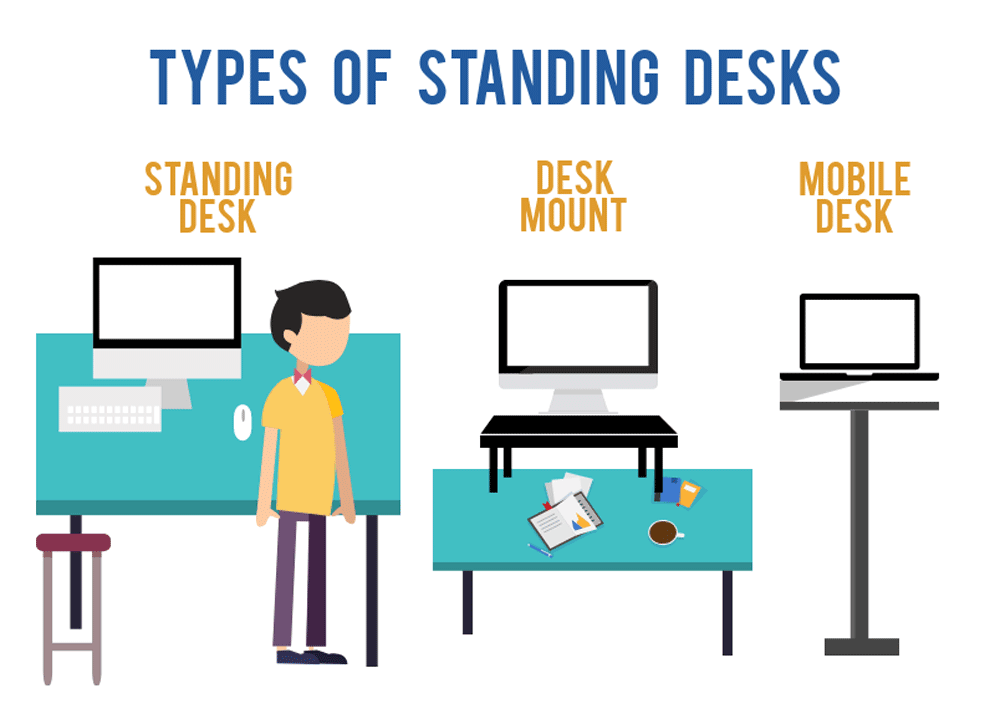
The 3 Main Types of Standing Desks
Not every standing desk is a full-size electric desk. Depending on your space, budget, and work setup, there are a few different ways to add more standing time to your day.
1. Standard Standing Desks
A standard standing desk replaces your existing desk. These are usually full-size desks that adjust up and down so you can switch between sitting and standing.
Some are electric, some are manual crank models, and some have preset height buttons so you can move from seated to standing with one tap.
Best for: people who want a permanent sit-stand workstation, work from home regularly, or spend most of the day at a desk.
Good to know: these usually offer the most workspace, but they also take up the most room and tend to cost more than other options.
2. Desk Mount or Desktop Converters
A desk mount, also called a standing desk converter, sits on top of your current desk. You place your monitor, keyboard, and mouse on it, then raise or lower the converter when you want to stand or sit.
This is one of the easiest ways to try a standing desk without replacing your whole setup.
Best for: people who already like their desk, renters, office workers, or anyone who wants a lower-commitment option.
Good to know: converters can be bulky, and some models may not give you as much room for notebooks, paperwork, or multiple monitors.
3. Mobile Standing Desks
A mobile standing desk is usually smaller and built on wheels, so you can move it around your home or office. Some are simple laptop carts, while others have enough space for a monitor and keyboard.
These are great if you do not work in one fixed spot all day.
Best for: small spaces, shared work areas, classrooms, medical offices, or people who like to move between rooms.
Good to know: mobile desks are convenient, but they may be less stable than a full-size standing desk, especially if you use heavy equipment or type aggressively.
Quick Takeaway
A standard standing desk is the best long-term setup, a desktop converter is the easiest way to upgrade your current desk, and a mobile standing desk is ideal when flexibility matters more than workspace.
Below, you can see a video on the benefits of standing desks and why you should consider one for your office or home use.
Standing Desk Setup Checklist: How to Get It Right
A standing desk can help you feel better during the workday, but only if it is set up correctly. If your monitor is too low, your keyboard is too high, or you are standing on a hard floor all day, you may just trade one kind of discomfort for another.
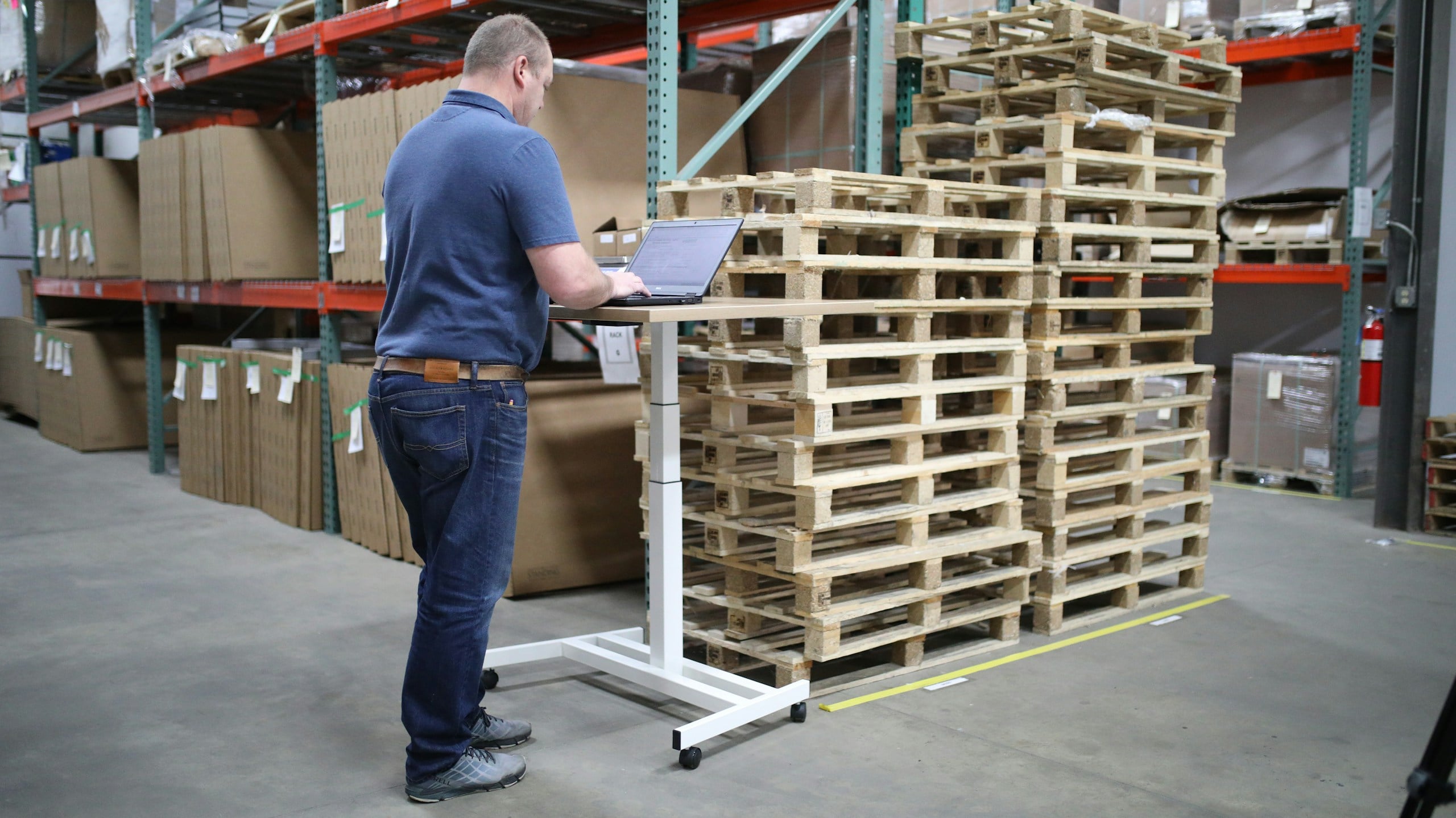
Use this quick checklist before you start standing for longer stretches.
1. Set the Desk at a Comfortable Height
Your standing desk should allow you to stand tall without shrugging your shoulders, rounding your back, or reaching awkwardly for your keyboard.
When your arms are at your sides, your elbows should bend at about a 90-degree angle when your hands rest on the keyboard.
If your shoulders creep up toward your ears, the desk is probably too high. If you have to hunch forward, it is probably too low.
2. Keep Your Screen at Eye Level
Your monitor should be high enough that you can look straight ahead without constantly dropping your chin toward your chest.
A good rule of thumb: the top third of your screen should be near eye level. If you use a laptop, you will probably need a laptop stand or external monitor, plus a separate keyboard and mouse.
Standing while staring down at a laptop can quickly lead to neck and shoulder pain.
3. Keep Your Arms and Wrists Neutral
Your keyboard and mouse should sit close enough that you are not reaching forward all day.
Aim for:
- Elbows close to a 90-degree angle
- Forearms roughly parallel to the floor
- Wrists straight and relaxed
- Shoulders down, not tense or lifted
If your wrists are bent upward or your shoulders feel tight, adjust the height before you settle in.
4. Use an Anti-Fatigue Mat
If you are standing on hardwood, tile, or thin carpet, your feet may start complaining fast.
An anti-fatigue mat gives your feet more cushion and encourages small movements while you stand. This can make a big difference for your heels, knees, hips, and lower back.
Supportive shoes can help, too, especially if you plan to stand for more than a few minutes at a time.
5. Give Yourself Room to Move
A standing desk works best when you are not frozen in place.
Make sure you have enough space to shift your weight, step back, stretch your calves, or move your feet. Keep cords, bags, boxes, and chair legs out of the way so your standing area feels open and safe.
6. Choose a Desk That Lets You Sit and Stand
For most people, the best standing desk is not a standing-only desk. It is a sit-stand desk.
Being able to move between sitting and standing is what makes the setup practical. Some days you may stand more. On other days, your body may need more sitting. The flexibility is the point.
So, What Type of Standing Desk Should You Choose?
There are plenty of options, from full-size adjustable desks to desktop converters and mobile carts. The right one depends on your space, budget, and how permanent you want your setup to be.
- A standard adjustable standing desk is usually best if you want a long-term workstation with plenty of room for monitors, accessories, and daily work.
- A desktop converter is a good option if you already have a desk you like and want a less expensive way to try standing.
- A mobile standing desk can work well in small spaces or shared areas where flexibility matters more than having a large work surface.
No matter which style you choose, look for one that adjusts easily, feels stable, fits your equipment, and allows you to move comfortably between sitting and standing.
A standing desk does not need to be complicated, but the right setup matters. Before you buy, think about how you actually work: how many screens you use, how much space you have, whether you need portability, and how often you want to switch positions. Our standing desk reviews compare features, pricing, pros, cons, and real user feedback to help you find an option that fits your workday, not just your workspace.
Simple Standing Desk Movements That Make a Difference
A standing desk works best when you do not treat standing as the final goal. The real benefit is that it makes it easier to move more throughout the day.
You do not need to turn your office into a gym or do squats between Zoom calls. In fact, the best standing desk “exercises” are usually small, subtle movements that keep your body from getting stuck in one position.
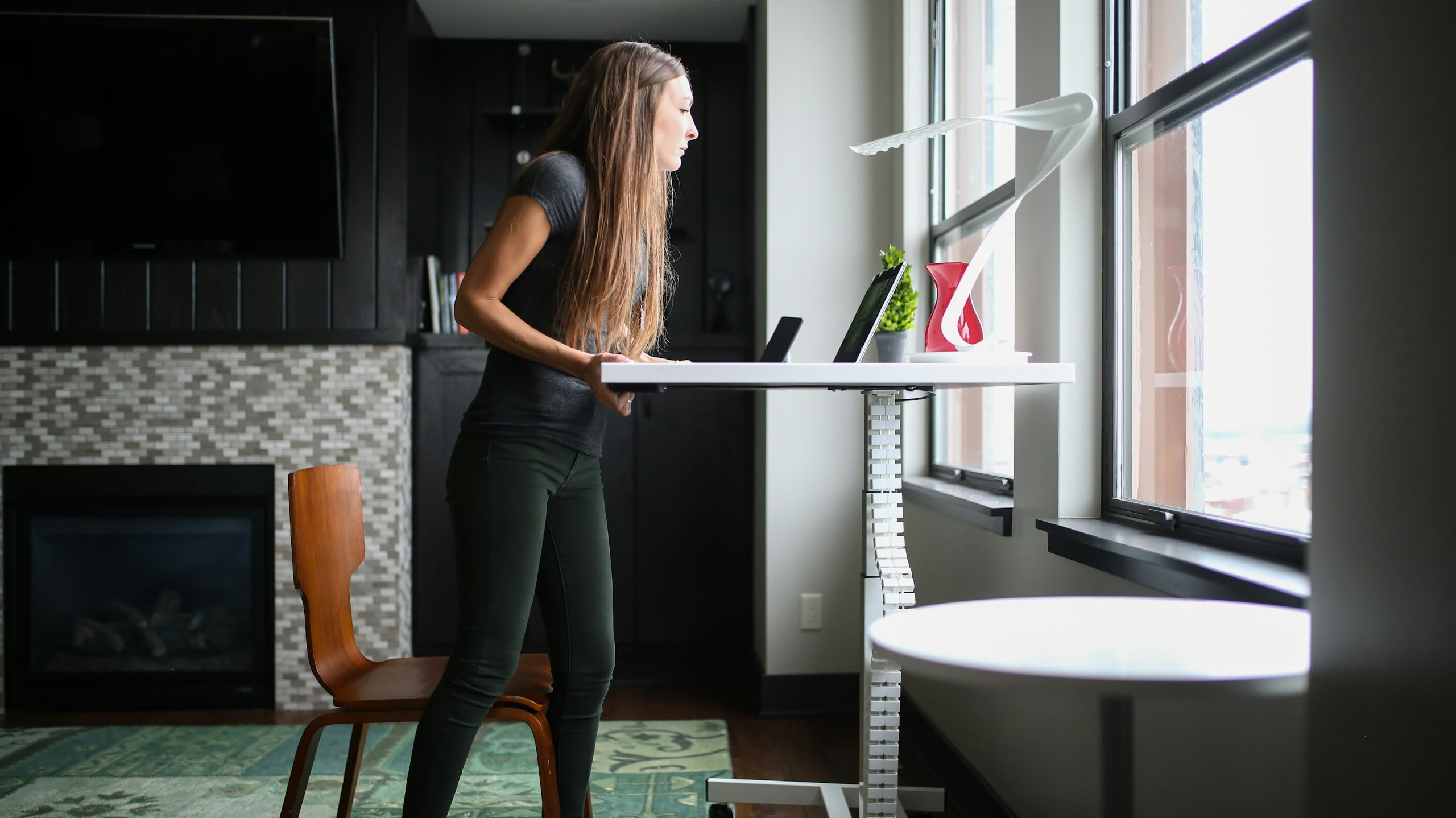
Think of these as quick resets you can do while reading an email, waiting for a page to load, or taking a phone call.
1. Calf Raises
Calf raises are one of the easiest movements to do at a standing desk because they barely interrupt your work.
Stand with your feet about hip-width apart. Slowly rise up onto the balls of your feet, pause for a second, then lower your heels back down.
This helps wake up your calves, encourages blood flow, and keeps your legs from feeling locked in place.
Try this: Do 10 slow calf raises every time you finish a meeting or send a long email.
2. Weight Shifts
This one sounds almost too simple, but it is exactly the kind of movement your body needs when you are standing for a while.
Instead of standing perfectly still, gently shift your weight from one foot to the other. You can also place one foot on a small footrest, box, or balance board and switch sides every few minutes.
This helps reduce the “statue effect,” where you technically are standing but your body is still stuck in one position.
Try this: Shift your weight whenever you catch yourself locking your knees or leaning heavily on one hip.
3. Shoulder Rolls
If your shoulders start creeping toward your ears while you type, shoulder rolls can help reset your posture.
Roll your shoulders up, back, and down in a slow circle. Repeat a few times, then reverse the direction.
This is especially helpful if you spend a lot of time typing, using a mouse, or looking at a screen. It can also remind you to relax your upper body instead of carrying tension in your neck and shoulders.
Try this: Do five shoulder rolls before starting a new task or joining a video call.
4. Gentle Back Extensions
After sitting for a long time, your body spends hours folded forward. A gentle back extension can help open things up.
Stand tall, place your hands on your hips or lower back, and gently lean back just a little. Keep the movement small and controlled. You should feel an opening through the front of your body, not pain in your lower back.
This can feel especially good after long periods of sitting, but it is important not to force it.
Try this: Do one or two gentle back extensions after switching from sitting to standing.
5. Hip Flexor Stretch
Tight hips are one of the most common side effects of sitting all day. A simple standing hip flexor stretch can help.
Step one foot slightly behind you. Keep your torso upright and gently tuck your pelvis under, as if you are trying to point your tailbone toward the floor. You should feel a stretch through the front of the hip on the back leg.
Hold for a few seconds, then switch sides.
Try this: Do this once or twice during the day, especially after a long sitting session.
6. Walk-and-Talk Calls
Not every call needs to happen at your desk.
If you are on a phone call or a meeting where you do not need to type, consider stepping away from your workstation and walking while you talk. Even a few laps around your office, kitchen, or hallway can help break up the day.
This is one of the easiest ways to add movement without adding another task to your schedule.
Try this: Choose one call per day as your “walk-and-talk” call.
7. Posture Check Reset
Sometimes the best movement is simply noticing what your body is doing.
Every so often, check in with yourself:
- Are your knees locked?
- Are your shoulders tense?
- Is your chin drifting forward?
- Are you leaning into one hip?
- Are your wrists bent while typing?
Then reset. Soften your knees, relax your shoulders, bring your head back over your spine, and let your arms rest naturally at your sides or keyboard.
Try this: Use a recurring reminder or pair it with something you already do, like checking your calendar or refilling your water.
A Quick Safety Note
These movements should feel gentle and helpful, not painful. Skip anything that causes sharp pain, numbness, tingling, dizziness, or worsening discomfort.
And if you have a back injury, degenerative condition, balance issue, or chronic pain, it is worth being extra cautious. A standing desk can be helpful, but pushing through pain is not the goal. Start with small changes, listen to your body, and check with a medical professional if you are unsure what movements are safe for you.

What About Under-Desk Treadmills?
If standing still still feels too static, an under-desk treadmill or walking pad can take the movement idea one step further. Instead of just changing positions, you can add slow walking to parts of your day, like casual calls, webinars, or low-focus tasks.
That said, a treadmill desk is not ideal for everything. Typing, detailed design work, writing, or anything that requires deep concentration may be harder while walking. It also takes more space, creates more noise, and can be more expensive than a basic standing desk setup.
For most people, a standing desk is the easier starting point. If you already like standing and want even more movement during the workday, a walking pad can be a helpful upgrade.
Standing Desk FAQs
Still have questions about whether a standing desk is worth it or how to use one without overdoing it? Here are a few common questions people have when they first make the switch.
If you have your own standing desk tips, struggles, or questions, share them in the comments so others can learn from your experience, too.
Are standing desks actually good for you?
They can be, but the benefit comes from changing positions and moving more, not from standing all day. A standing desk gives you more flexibility to sit, stand, stretch, and reset throughout the workday.
How long should you stand at a standing desk?
Start small. Try standing for 15 to 30 minutes at a time, then adjust based on how your body feels. Many people do best when they alternate between sitting and standing instead of forcing one position for hours.
Can a standing desk help with back pain?
It may help some people by reducing long stretches of sitting and making it easier to change positions. But a standing desk is not a cure, especially for chronic, degenerative, or structural back issues. Think of it as one tool that may help you manage your workday more comfortably.
Is it bad to stand all day at work?
Yes, standing all day can create its own problems, including sore feet, tired legs, hip discomfort, or back pain. The goal is not to stand all day. The goal is to move between sitting, standing, stretching, and walking.
Do you need an anti-fatigue mat?
If you plan to stand for more than a few minutes at a time, an anti-fatigue mat is a smart addition. It can make standing more comfortable and may help reduce pressure on your feet, knees, hips, and lower back.
What is the biggest mistake people make with standing desks?
Trying to stand too much too soon. Start slow, set up your desk correctly, use a supportive mat, and listen to your body. A standing desk should make your workday feel better, not turn it into an endurance test.

Build a Workspace That Helps You Feel Better And Work Better
A standing desk can be a great upgrade, but it is only one piece of a healthier, more productive workspace. Whether you work in a corporate office, a spare bedroom, or at the kitchen table, your setup affects how your body feels, how focused you are, and how smoothly your day runs.
The best workspace is not necessarily the fanciest one. It is the one that supports how you actually work.
That means having a desk and chair that let you change positions, a screen that does not strain your neck, lighting that does not leave you squinting by 3 p.m., and enough organization that you are not constantly hunting for chargers, cables, or that one adapter you swear was just there.
It also means keeping your tech in good shape. A slow computer, unreliable Wi-Fi, glitchy phone, or cluttered device can make even the most ergonomic office feel frustrating. If your laptop takes forever to load, your video calls drop in one room but not another, or your phone starts acting strange after a few years, your workspace may need a tech tune-up just as much as an ergonomic one.
For a more complete home or office setup, you may also want to review:
- Our guide to must-have office essentials
- Common technology problems in modern homes
- Technology myths that many people still believe
- Why does your computer suddenly feel slow
- Why do smartphones start acting strangely after a few years
- The tech habits that secretly slow down your devices
- Why technology works in one room but not another
At the end of the day, a good workspace should make work feel easier on your body and less frustrating for your brain. A standing desk can help with that, especially if it encourages you to sit less, move more, and stop staying locked in one position for hours. But the real goal is bigger than buying one piece of office equipment.
The goal is to build a workspace that supports your health, your focus, and the way you actually live and work.
Have You Tried a Standing Desk?
Have you used a standing desk at home or in the office? Did it help with back pain, posture, focus, or energy, or did you run into sore feet, tired legs, or other surprises?
Share your experience in the comments. What worked, what didn’t, and what advice would you give someone just getting started?